Overview
Tools are actions the assistant is allowed to take while talking to a customer. Each card says whether the tool is on, and which plan it needs.
What you will achieve
- Know what each tool does.
- Know which plan each tool needs.
Who this guide is for
Owners and admins deciding what the assistant may do.
Before you start
- You are signed in as an owner or an admin.
The tools
Step 1: Booking, instant replies and automations
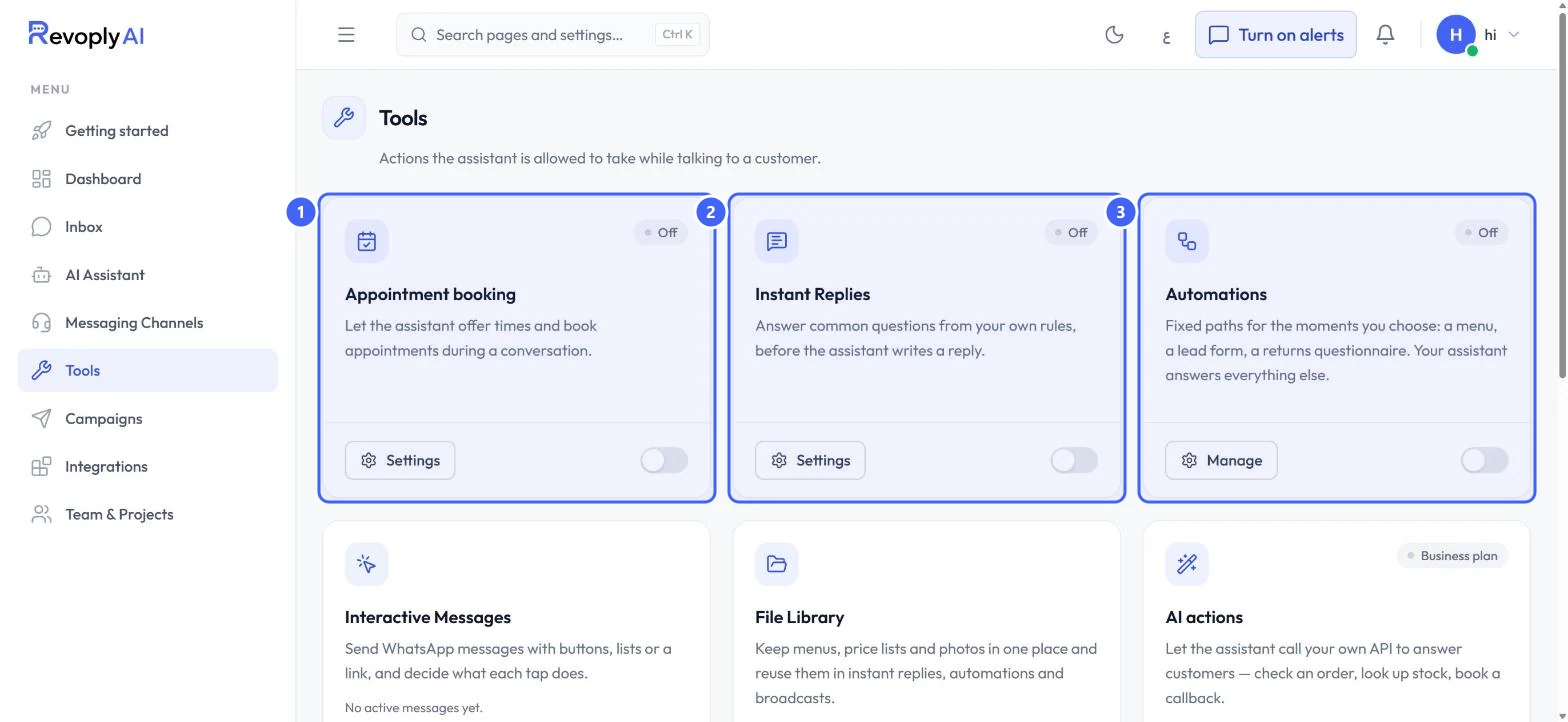
Appointment booking 1 lets the assistant offer times and book appointments during a conversation. Instant Replies 2 answer common questions from your own rules, before the assistant writes a reply. Automations 3 are fixed paths for the moments you choose, such as a menu, a lead form or a returns questionnaire; the assistant answers everything else. Each card shows Off until you switch it on.
 Open full size
Tools, first row.
- 1Appointment booking
- 2Instant Replies
- 3Automations
Step 2: Interactive messages, files and AI actions
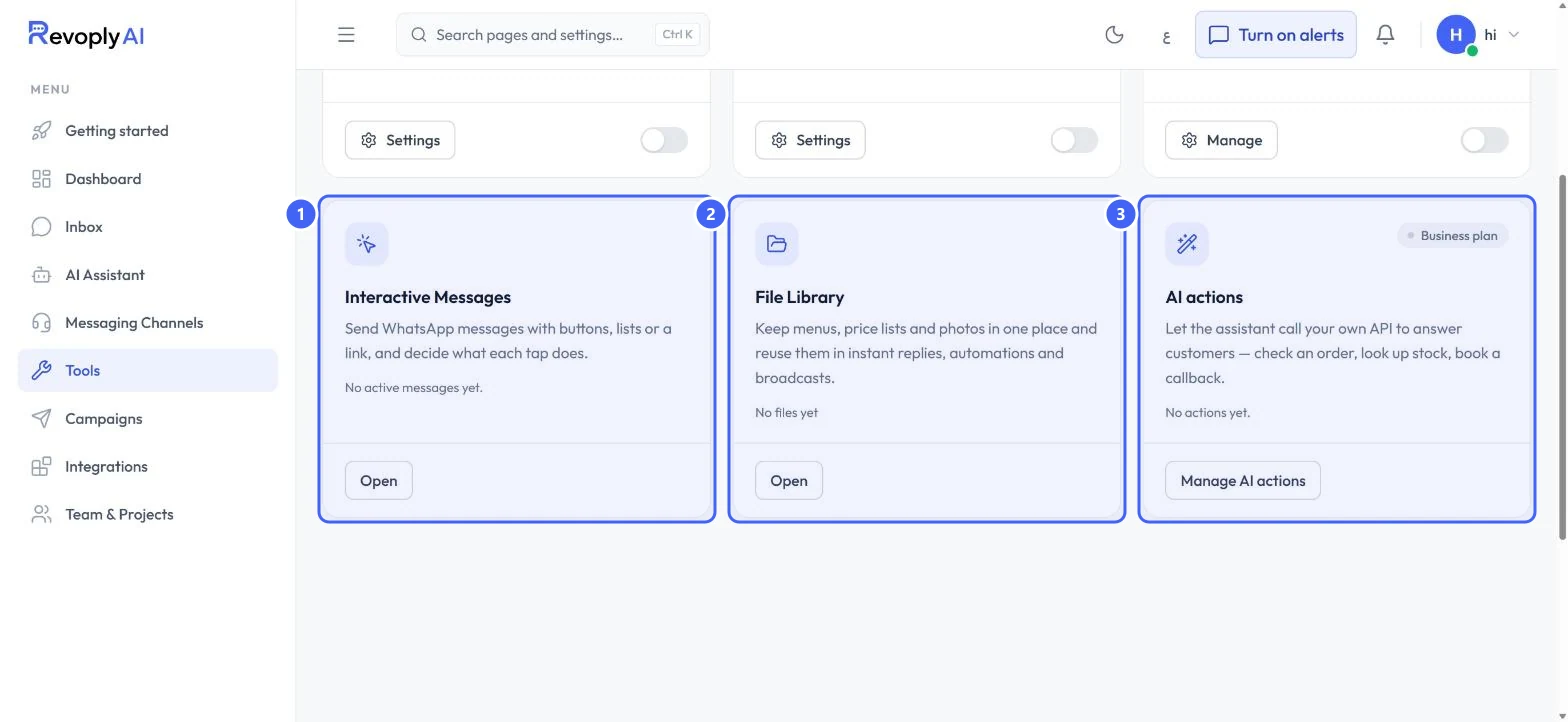
Interactive Messages 1 are WhatsApp messages with buttons, lists or a link, where you decide what each tap does. File Library 2 keeps menus, price lists and photos in one place for reuse. AI actions 3 let the assistant call your own API, for example to check an order or look up stock.
 Open full size
Tools, second row.
- 1Interactive Messages
- 2File Library
- 3AI actions
Plans
Step 3: Which plan each tool needs
On the Free plan, File Library is available (up to 3 files). Appointment booking, Instant Replies, Automations and Interactive Messages are on the Pro and Business plans. AI actions are on the Business plan, as its card shows. A locked tool's page explains what it does and shows the plan it needs.
Each tool has its own step-by-step guide: Let the assistant book appointments, Answer common questions with instant replies, Build fixed paths with automations, Send WhatsApp messages with buttons and lists, and Connect your own systems with AI actions.
Expected result
You know what each tool does and what you need before you can turn it on.
Troubleshooting
A tool's page only shows an upgrade message.
That tool is not on your current plan. The message names the plan that includes it.
Still stuck?
A real person answers every message. Tell us the page you were on and what you saw.