Overview
Campaigns is where you reach customers first, rather than answering them. It gathers your contacts, your WhatsApp templates and the ways to send one message to many people.
What you will achieve
- Know what each Campaigns card does.
- Know what templates need.
- Know which cards need a paid plan.
Who this guide is for
Owners and admins planning outbound messages.
Before you start
- You are signed in as an owner or an admin.
The cards on Campaigns
Step 1: Open Campaigns
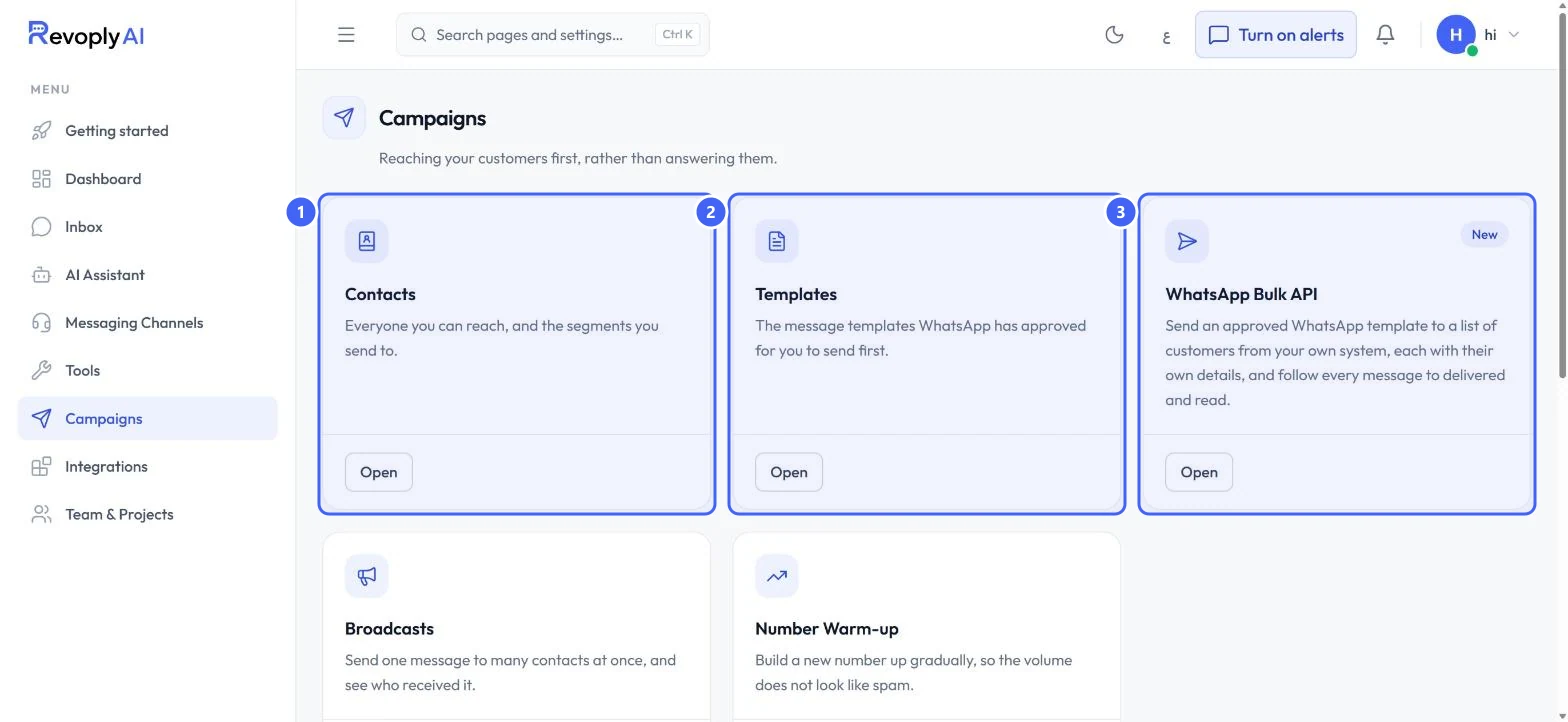
Select Campaigns in the menu. Contacts 1 is everyone you can reach and the segments you send to. Templates 2 holds the message templates WhatsApp has approved for you to send first. WhatsApp Bulk API 3 sends an approved template to a list from your own system.
 Open full size
Campaigns.
- 1Contacts
- 2Templates
- 3WhatsApp Bulk API
Step 2: Broadcasts and Number Warm-up
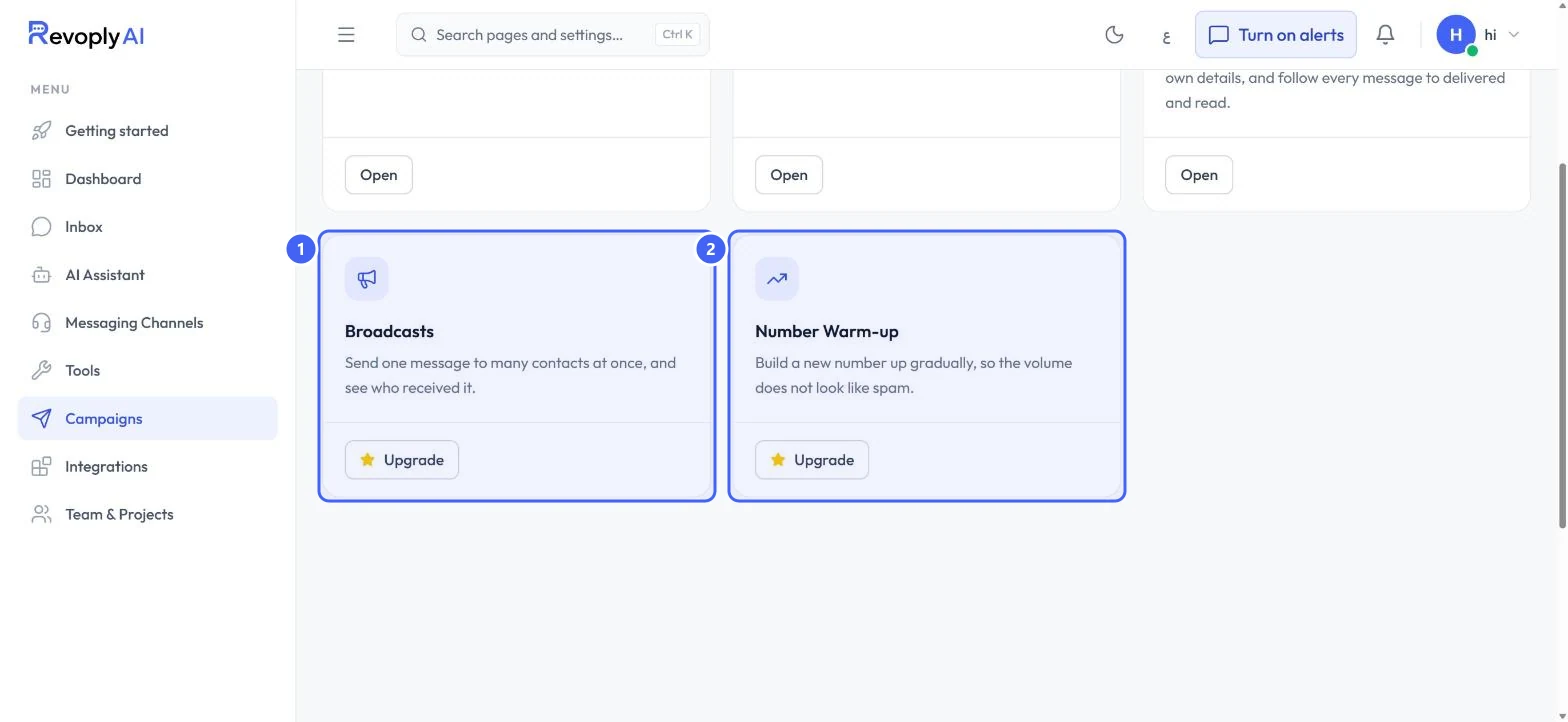
Broadcasts 1 sends one message to many contacts at once and shows who received it. Number Warm-up 2 builds a new number up gradually, so the volume does not look like spam. Both show Upgrade on the Free plan: they are included from the Starter plan.
 Open full size
Broadcasts and Number Warm-up.
- 1Broadcasts
- 2Number Warm-up
Message templates
Step 3: Connect the official API first
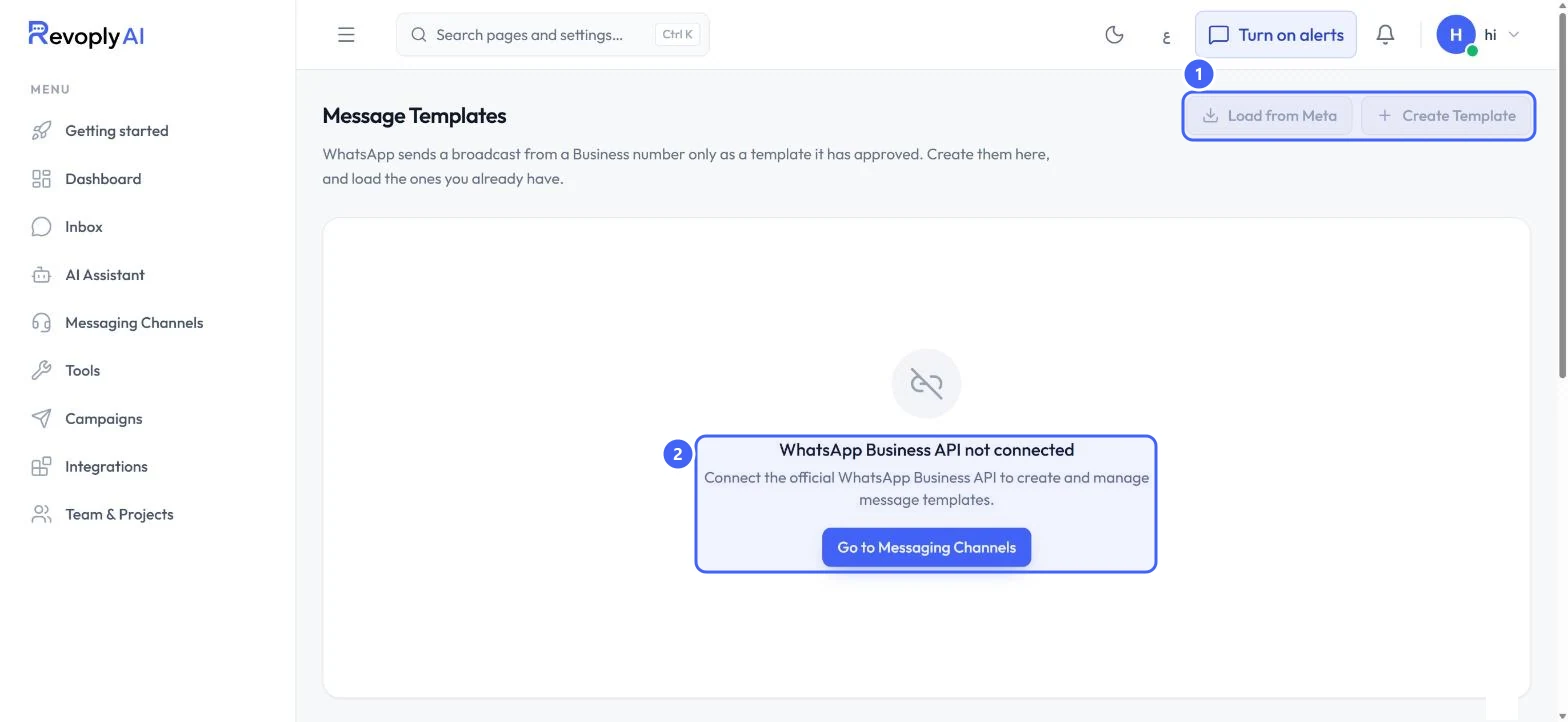
WhatsApp sends a broadcast from a Business number only as a template it has approved. Open Templates: until the official WhatsApp Business API is connected, the page says WhatsApp Business API not connected 2 and Load from Meta and Create Template 1 are unavailable. Select Go to Messaging Channels to connect it.
 Open full size
Message Templates before WhatsApp is connected.
- 1Load from Meta and Create Template
- 2WhatsApp Business API not connected
Expected result
You know where contacts, templates and bulk sending live, and what each needs before you can use it.
Troubleshooting
Create Template is greyed out.
Templates need the official WhatsApp Business API. Connect WhatsApp from Messaging Channels first.
Still stuck?
A real person answers every message. Tell us the page you were on and what you saw.