Overview
A brand-new number that suddenly sends many messages looks like spam. Number Warm-up pairs your number with a second one, and the two chat like people, with daily volume growing gradually.
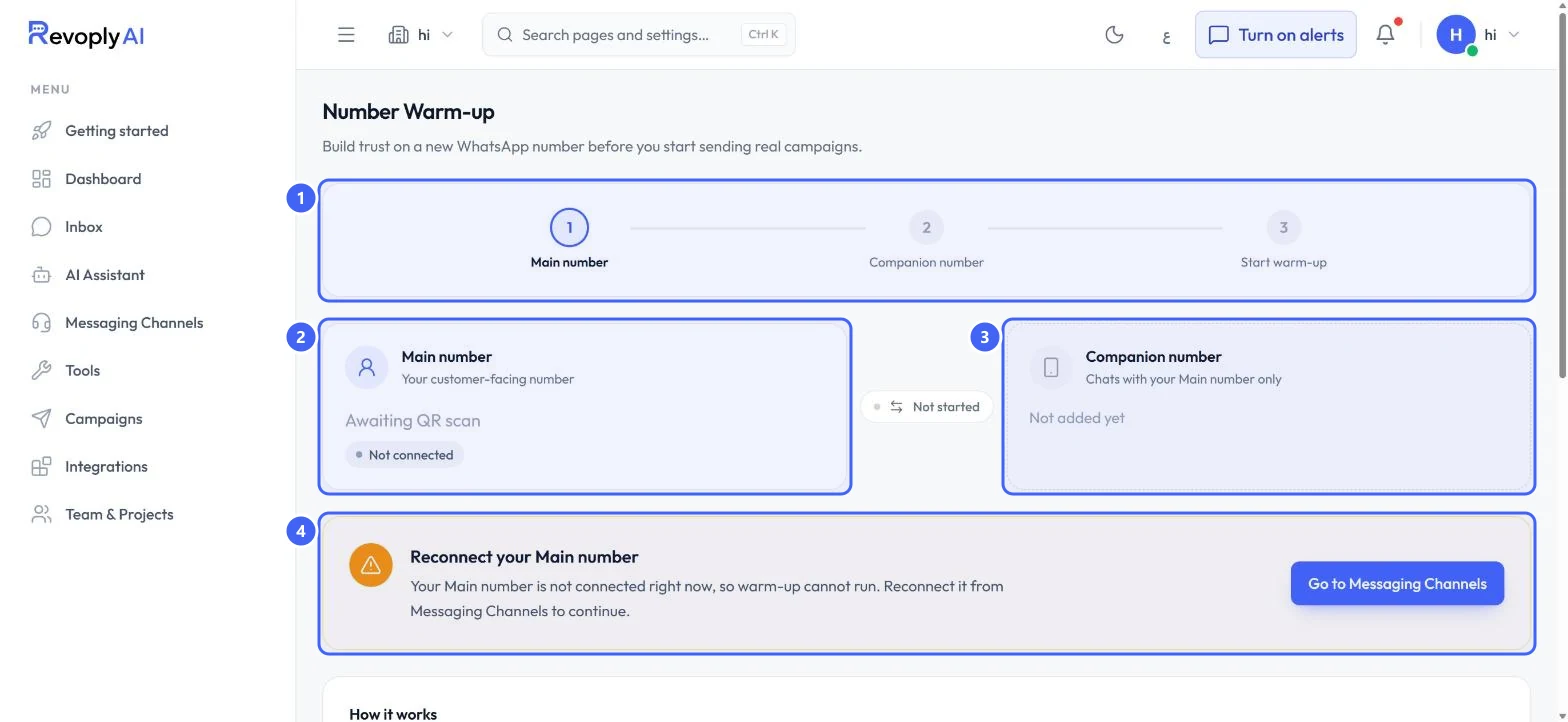
The test account's Main number was not connected, so warm-up could not be started. This guide shows the page as it looks before that.
What you will achieve
- Understand the three warm-up steps.
- Know what has to be connected before warm-up can run.
Who this guide is for
Owners and admins about to send campaigns from a new WhatsApp number.
Before you start
- The Starter plan or above.
- A Main number connected by QR code, and a second phone number to use as the Companion number.
How warm-up works
Step 1: The three steps
The steps at the top 1 are Main number, Companion number and Start warm-up. The Main number 2 is your customer-facing number; here it shows Awaiting QR scan and Not connected. The Companion number 3 chats with your Main number only. Between them, Not started shows the warm-up status.
 Open full size
Number Warm-up with the Main number not connected.
- 1Steps
- 2Main number
- 3Companion number
- 4Reconnect your Main number
Step 2: Reconnect the Main number
While the Main number is disconnected, Reconnect your Main number 4 explains warm-up cannot run. Select Go to Messaging Channels and connect it by QR code.
Step 3: What happens during warm-up
Under How it works, the page explains: the two numbers are paired, they exchange varied messages at random, human-like intervals, and daily volume grows gradually so your number looks established before real campaigns.
Expected result
Once both numbers are connected, Start warm-up runs and your number builds history before your first broadcast.
Troubleshooting
Warm-up cannot run.
The Main number is not connected. Reconnect it from Messaging Channels, then add the Companion number.
Still stuck?
A real person answers every message. Tell us the page you were on and what you saw.