Aug 21, 2026
The $9 Starter Plan: What Changed in Our Pricing
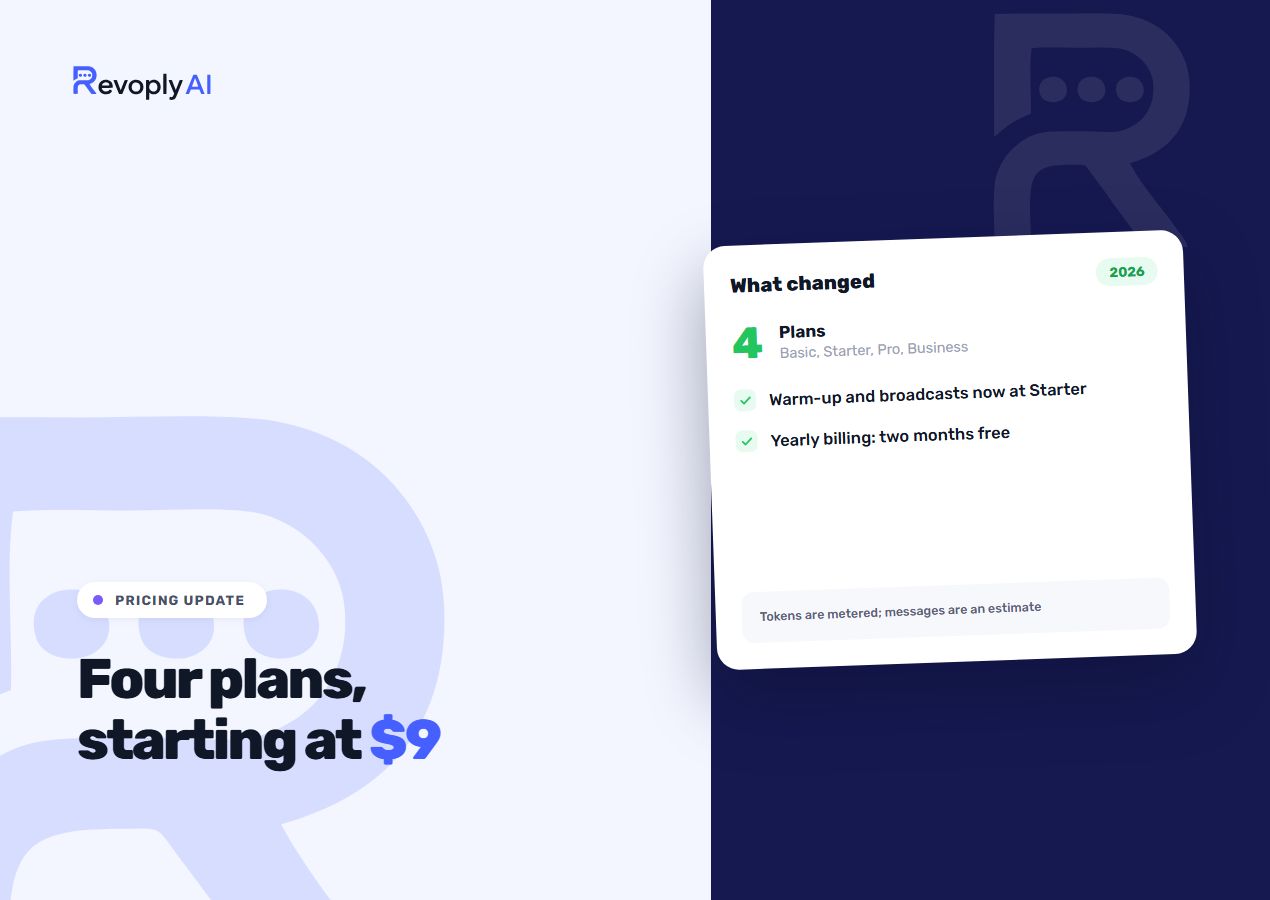
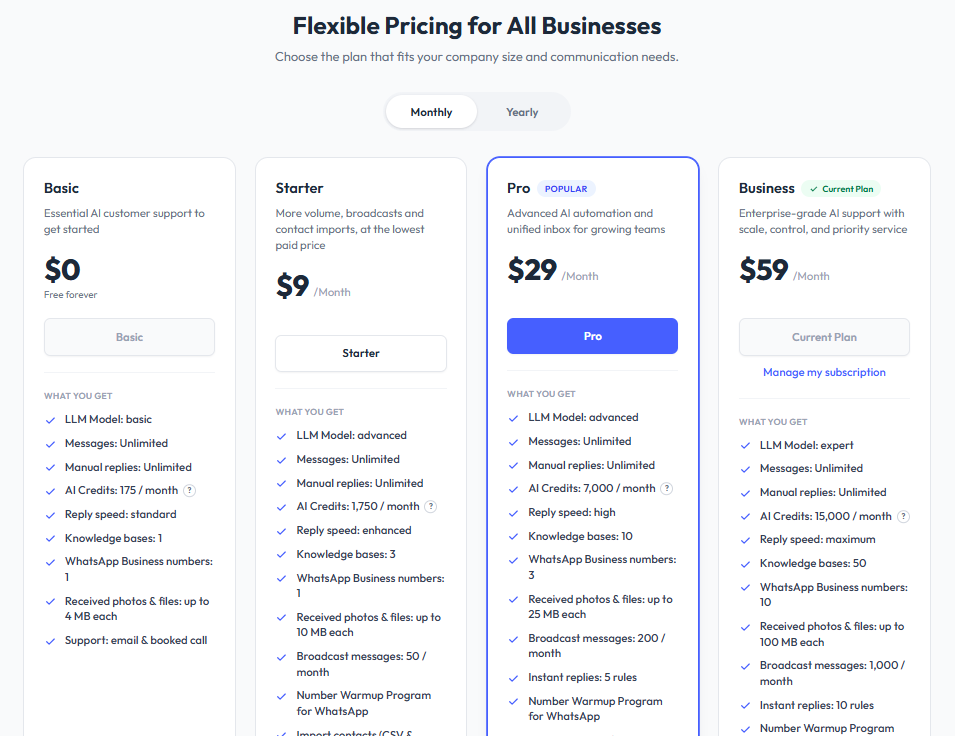
The lineup runs to four plans where it once had three. Basic costs nothing, Starter runs $9 a month, Pro is $29, and Business sits at $59. What actually shifts things is less the new tier than what dropped into it: warm-up, broadcasts and contact import once began at Pro, and they now begin at Starter.
The four plans, side by side
| Basic | Starter | Pro | Business | |
|---|---|---|---|---|
| Price per month | Free | $9 | $29 | $59 |
| AI credits a month | 175 | 1,750 | 7,000 | 15,000 |
| Knowledge bases | 1 | 3 | 10 | 50 |
| Team seats | 1 | 2 | 5 | 10 |
| Knowledge base size, characters | 4,000 | 40,000 | 500,000 | 2,500,000 |
| Catalogue products | 10 | 100 | 1,000 | 5,000 |
| Files in the library | 3 | 10 | 50 | 200 |
| Broadcast messages a day | None | 50 | 500 | Unlimited |
| Warm-up, contact import | No | Yes | Yes | Yes |
| Knowledge base sources | Editor, profile | Editor, profile | Files and links | Files and links |
| Appointment booking | No | No | Yes | Yes |
| Reads customer photos | No | No | Yes | Yes |
| Instant reply rules | None | None | 5 | 10 |
| Assistant sends library files | No | Yes | Yes | Yes |
| Automation flows | None | None | 5 | 25 |
| Lead qualification, knowledge gaps | No | No | Yes | Yes |
| Voice calls | No | No | No | 500 minutes a month |
| Support | Email, scheduled call | Priority WhatsApp | High priority | Top priority |
Every one of the four hooks into the same five channels: the WhatsApp Business API, Telegram, Instagram, Messenger and the website widget. The channels are not where the tiers part company.
Credits are an estimate. Tokens are the meter.
Messages themselves are unlimited on every plan; you are never charged for a customer writing in. What the plan counts is AI credits, and one credit is one AI reply. The line showing 1,750 credits is still an estimate, so here is the accurate version. Tokens are what we meter in practice, since that is the unit the model reads and writes in. One reply eats about 2,000 tokens once you add up the customer's question, the knowledge base fragments the assistant drew on to answer, and the answer itself. We take your token allowance, divide it by that number, and publish the result, on the reasoning that no one builds a support budget out of tokens.
It cuts both ways. Brief exchanges come in under the estimate, which means a shop fielding "are you open?" forty times will stretch further than that number implies. Extended ones go the other way: a customer writing three paragraphs and receiving a detailed answer built on six knowledge base passages can spend the token equivalent of two or three credits in a single turn. Where your conversations tend to run long, budget against the bottom of the estimate instead of the printed figure.
What yearly billing actually saves you
Two months come free. Settle a year in advance and the bill covers ten months, which lands at around 17 percent. Starter falls from $108 a year to $90, Pro goes from $348 down to $290, and Business from $708 to $590. Several places, our own older material among them, have described this as a 20 percent saving. It is not one. Two months is the accurate count.
What moved down to Starter
Number warm-up, broadcasts and contact import, all three formerly gated behind Pro, now open up at $9. Adding the tier was mostly about that. Messaging an existing customer list used to demand a leap from free straight to $29, a genuine barrier for a small shop, while running those features at that scale costs us little.
Warm-up deserves particular mention, since its job is protecting the number rather than adding a capability. Daily sending volume climbs in stages, so a new number never goes from zero to a few hundred messages overnight and sets off WhatsApp's spam detection. Locking it behind the $29 tier meant the customers most exposed to bans, the ones just starting out, were the group least likely to have it.
Should you be weighing the free plan against Starter, our comparison of this market's free options appears in the best free WhatsApp bot, and a walkthrough of running WhatsApp and Telegram together at no cost sits in automating both channels for free.
What stays at Pro
There are four, and they gather around a single idea: at Pro the assistant stops being merely a responder. Appointment booking works natively, with no calendar account required. Photo reading from customers is enabled out of the box, so a snapped receipt or an order screenshot gets understood instead of passed along. Knowledge base file upload and URL ingestion show up here, letting you feed it a PDF price list or a page from your site rather than retyping anything. Instant replies land too: five rules at Pro, ten at Business.
Three more have landed at Pro since this was first written. The flow builder gives you five flows at Pro and 25 at Business, and the step that sends a WhatsApp template from inside a flow is kept for Business. Lead qualification grades each lead hot, warm or cold against criteria you set. Knowledge gaps lists the questions the assistant could not answer well, so you can fill them. How flows sit beside the assistant is covered in the flow builder guide.
A knowledge base is still buildable on Free and Starter, through the text editor and the company profile. What caps you is how much you can type, not how much you can answer: 4,000 characters on Basic and 40,000 on Starter, against 500,000 on Pro and 2,500,000 on Business.
What October 2026 added
A product catalogue is now built in on every plan: 10 products on Basic, 100 on Starter, 1,000 on Pro and 5,000 on Business, with Excel and CSV import and export on the paid plans. Every plan can publish it as a public store page with a QR code, and on Basic that page carries a small "Made with RevoplyAI" footer. The assistant can attach product photos to its answers on every plan. Matching a photo a customer sends to a product in the catalogue is part of photo reading, so it starts at Pro. The details are in the catalogue and store page guide.
The file library holds the images, videos and PDFs you send again and again: 3 files on Basic, 10 on Starter, 50 on Pro and 200 on Business. On the paid plans the assistant can send one of them, a menu or a price list, when a customer asks for it. That is described in the file library guide.
Voice calls belong to Business alone. The assistant answers calls started from the website widget and incoming WhatsApp calls on WhatsApp Business API numbers, and both draw on the same 500 minutes a month. More on that in the voice agent article.
Pro and Business also open with a 7-day free trial for new customers. A card is required at checkout and is charged when the trial ends unless you cancel first. Starter has no trial, and Basic needs none.
Which plan are you?
Four short descriptions follow. Pick whichever one sounds like your week.
Basic, if you are still trying it out
About six AI replies a day is what 175 credits a month works out to. That covers connecting a channel, writing a knowledge base, and watching it answer real customers for a couple of weeks before you settle on anything. Running a business on it is another matter, and we would rather say that here than have you discover it in the middle of a busy week.
Starter, if you are sending as well as answering
You get 1,750 AI credits, three knowledge bases, fifty broadcast messages a day, plus warm-up and contact import. A business with a customer list it wants to reach belongs on this plan: a shop announcing fresh stock, a clinic nudging patients. Priority support shifts onto WhatsApp, and for most people that translates into a reply the same day instead of the following one.
Pro, if you take bookings or feed it documents
The tally here is 7,000 AI credits, ten knowledge bases, five hundred broadcast messages a day and the Pro features above, with five flows, a 1,000-product catalogue and 50 library files. Taking appointments makes this your floor, and there is no route around it. Where your product information lives in PDFs and on your website instead of in someone's head, file and link ingestion will hand back more time in the first week than the price difference takes from you across a year.
Business, if a team is running on it
This tier carries 15,000 AI credits, fifty knowledge bases, unlimited broadcasts, ten instant reply rules, 25 flows, ten team seats, voice calls with 500 minutes a month and top priority support. Fifty knowledge bases reads as excessive right up to the point where you keep one per branch, per brand or per language, and then it becomes the reason to be here.
What the free plan genuinely can't do
Stated plainly, so nothing surprises you. Broadcasting is out of the question on it. Your number cannot be warmed up, so anyone planning to send in volume later starts that clock from cold. Contact import is unavailable. Appointments are not taken and photos are not read. Files, links and videos cannot be ingested, so all of its knowledge has to be keyed into the editor by hand. The allowance is one knowledge base. Support arrives as email plus a scheduled call, not through any fast channel. The assistant does not send files from your library, and flows, lead qualification and voice calls are not part of it.
Where it does deliver: customers get answers on all five channels, in Arabic and English, drawn from a knowledge base you wrote yourself, 175 times a month, free and with no card on file. Judging whether any of this works for your business, that is enough. Running the business itself, it is not.
If you sell on Salla
The Salla integration is built but has not launched: it is still in review with Salla. Once it opens, two things will differ. Salla merchants will be billed by Salla through the app marketplace rather than by us, so the subscription will sit on the Salla invoice next to your other apps. The Salla route will also open at Starter, since no free tier exists on that path. Until then, sign up with us directly and keep your products in the built-in catalogue.
What it will bring is live store data instead of a copy of it, so stock and order status come back current rather than from a knowledge base somebody last updated in March. The planned integration is described in the Salla WhatsApp assistant guide.
Frequently Asked Questions
What happens to my data if I downgrade?
Nothing gets deleted. Your conversation history, contacts and knowledge bases all remain in place. What shifts is what runs: drop from Business to Pro with eight instant reply rules configured, and the rules past the Pro limit of five stop firing without being removed, resuming the moment you upgrade. Knowledge bases above the new limit behave the same way. This stance was chosen on purpose, because erasing a customer's work to enforce a billing tier is a poor way to treat someone who has just told you they need to spend less.
Is an AI credit the same thing as a token?
No. The token is the unit the model genuinely processes, while a credit is our estimate of how many tokens one AI reply consumes, at roughly 2,000. Your allowance is measured in tokens. Brief questions end up leaving you more replies than the plan advertises; lengthy ones leave you fewer. Incoming messages never count against it.
Which plans get appointment booking and photo reading?
Both Pro and Business. Photo reading ships enabled, and the bot configuration lets you switch it off. Appointment booking, by contrast, needs setting up before it does anything, since it requires your bookable hours and services.
How will billing work if I come through Salla?
The Salla integration has not launched yet. When it does, the bill will come from Salla, and Salla is what pays us. Plan changes will be handled through the Salla app rather than our billing page, and with the free tier not offered on that route, Starter will serve as the entry point.