Overview
The Getting started page is the quickest way to a working assistant. It shows what is already done and what is left, and each item opens the page where you finish it.
What you will achieve
- Read what is left to set up.
- Open each step straight from the checklist.
- Try the assistant before customers write to you.
Who this guide is for
Owners and admins setting up an account.
Before you start
- You are signed in as an owner or an admin.
Open the checklist
Step 1: Select Getting started in the menu
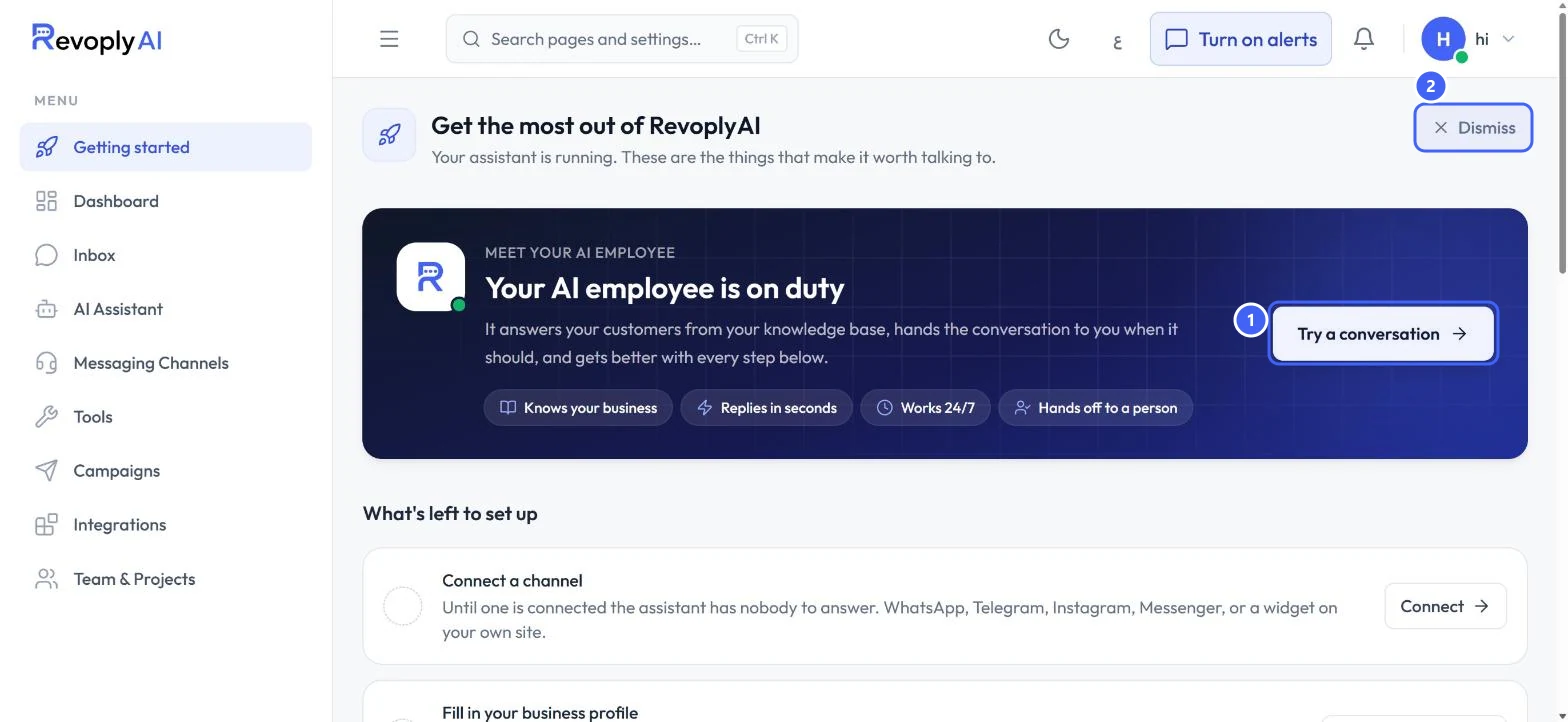
The page opens with a short summary of what your assistant does. Try a conversation 1 opens the test console, and Dismiss 2 hides the page once you no longer need it.
 Open full size
The Getting started page.
- 1Try a conversation
- 2Dismiss
If you dismiss the page and want it back, open Account Settings and find Getting started guide.
Work through what is left
Items with a green check are done. The others have a button that takes you to the right place.
Step 2: Connect a channel
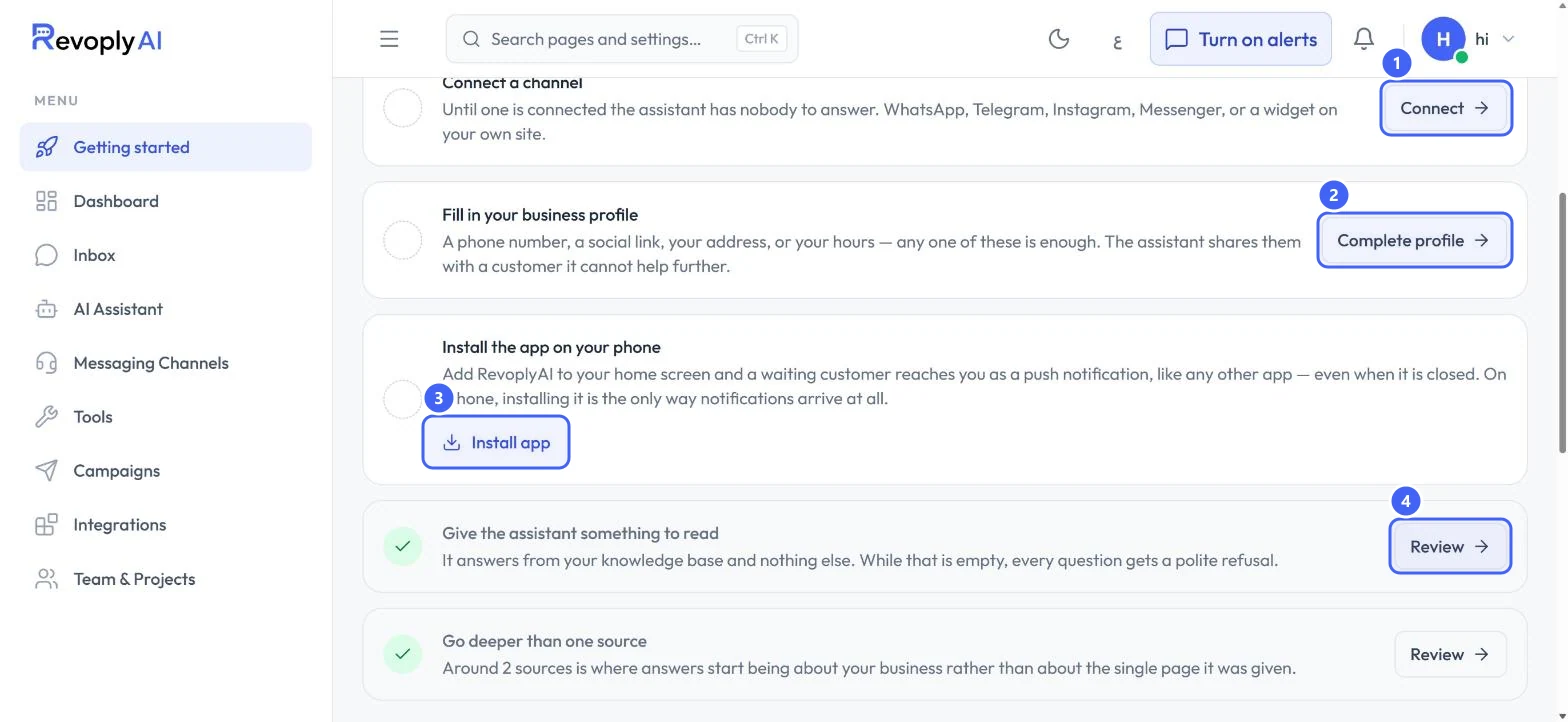
Select Connect 1. Until a channel is connected, the assistant has nobody to answer. You can use WhatsApp, Telegram, Instagram, Messenger, or a chat widget on your own website.
 Open full size
What's left to set up.
- 1Connect
- 2Complete profile
- 3Install app
- 4Review
Step 3: Fill in your business profile
Select Complete profile 2. A phone number, a social link, your address or your hours is enough. The assistant shares these with a customer it cannot help further.
Step 4: Install the app on your phone
Select Install app 3 to add RevoplyAI to your home screen. A waiting customer then reaches you as a push notification, even when the app is closed. On iPhone, installing it is the only way notifications arrive.
Step 5: Give the assistant something to read
Select Review 4 to open the knowledge base. The assistant answers from your knowledge base and nothing else, so an empty knowledge base means every question gets a polite refusal.
Expected result
Each finished item shows a green check, and the assistant has a channel, your business details and knowledge to answer from.
Troubleshooting
The page says some of the list could not be loaded.
Reload the page. The list may be out of date until it loads again.
I do not see Getting started in the menu.
Getting started is shown to owners and admins. An agent does not see it.
Still stuck?
A real person answers every message. Tell us the page you were on and what you saw.