Overview
Most problems have a cause you can see in the dashboard. Work through the symptom that matches yours, and contact support if it is still not solved.
What you will achieve
- Find the cause of the most common problems.
- Know what to send support if you need help.
Who this guide is for
Owners and admins.
Before you start
- You are signed in.
The assistant does not answer customers
Step 1: Check that a channel is connected
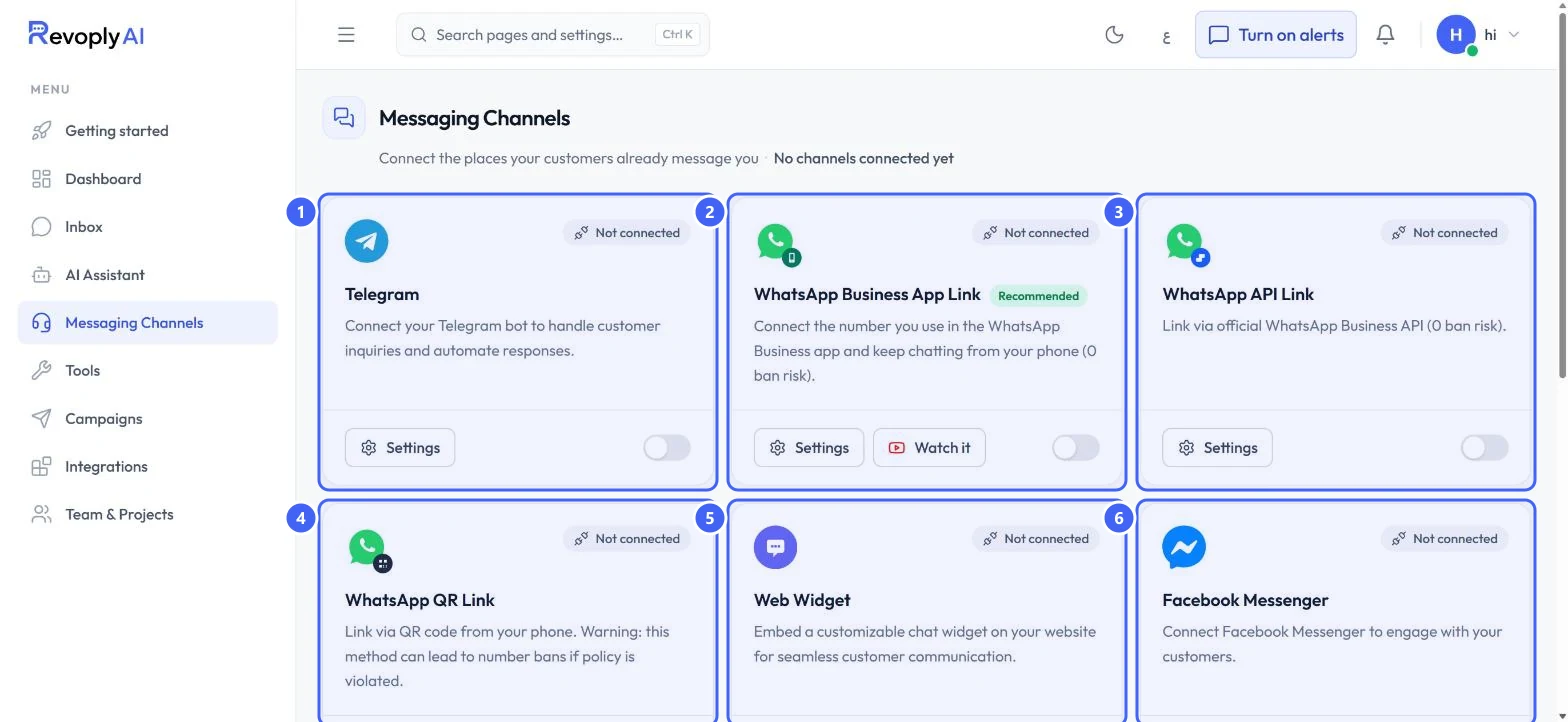
Open Messaging Channels. A card that shows Not connected has no customers to answer. Connect the channel your customers use.
 Open full size
Every card shows Not connected until a channel is linked.
- 1Telegram
- 2WhatsApp Business App Link
- 3WhatsApp API Link
- 4WhatsApp QR Link
- 5Web Widget
- 6Facebook Messenger
Step 2: Check whether someone took the conversation over
In the Inbox, open the conversation. If a teammate took it over, the assistant stands down until it is handed back. If you replied from the WhatsApp Business app, the assistant also pauses for the time set in Handover.
Step 3: Check your monthly usage
Open Dashboard and scroll to Monthly Token Usage. If the month's allowance is used up, the date under Resets On says when it renews.
The assistant says it does not know
Step 4: Add the fact to the knowledge base or company profile
The assistant answers only from your knowledge base and company profile. Add the missing fact, save, and ask again in the test console.
Step 5: Save text is unavailable
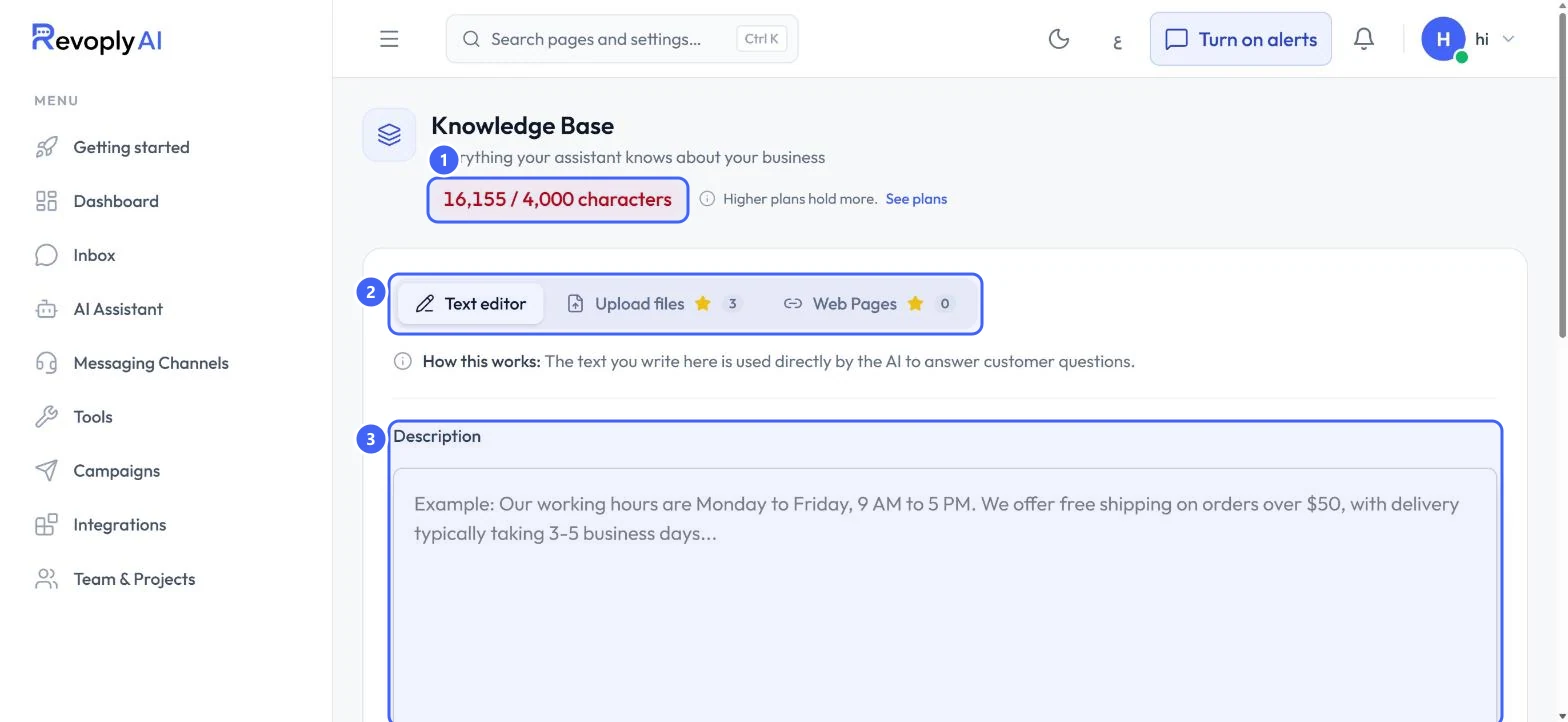
If the counter at the top of the knowledge base is red 1, your knowledge is over the plan's limit and Save text stays unavailable. Shorten the text, or move to a plan that holds more.
 Open full size
A knowledge base over its limit: the counter is red.
- 1Characters used out of the limit
- 2Tabs
- 3Description
A feature shows Upgrade or Available on Pro
Step 6: Check the plan it needs
A locked feature's page explains what it does and names the plan that includes it. Your current plan is shown in your account menu under Current Plan.
A dashboard page did not load
Step 7: Reload the page
If a page says some of it could not be loaded, reload it. If it keeps happening, contact support with the page name and the message shown.
Expected result
You found the cause, or you have the details support needs to help.
Troubleshooting
None of these match my problem.
Open Support, describe the page, what you expected and what happened, and include the exact message the dashboard showed.
Still stuck?
A real person answers every message. Tell us the page you were on and what you saw.