Overview
Projects are separate workspaces under one account. Each has its own channels, contacts, conversations and knowledge, and everyone on the main company's team can switch between them.
What you will achieve
- Create a project.
- Switch between projects.
- Know where to rename a project.
Who this guide is for
Owners who run more than one brand, branch or client from one account.
Before you start
- The Pro or Business plan.
Your projects
Step 1: Open Projects
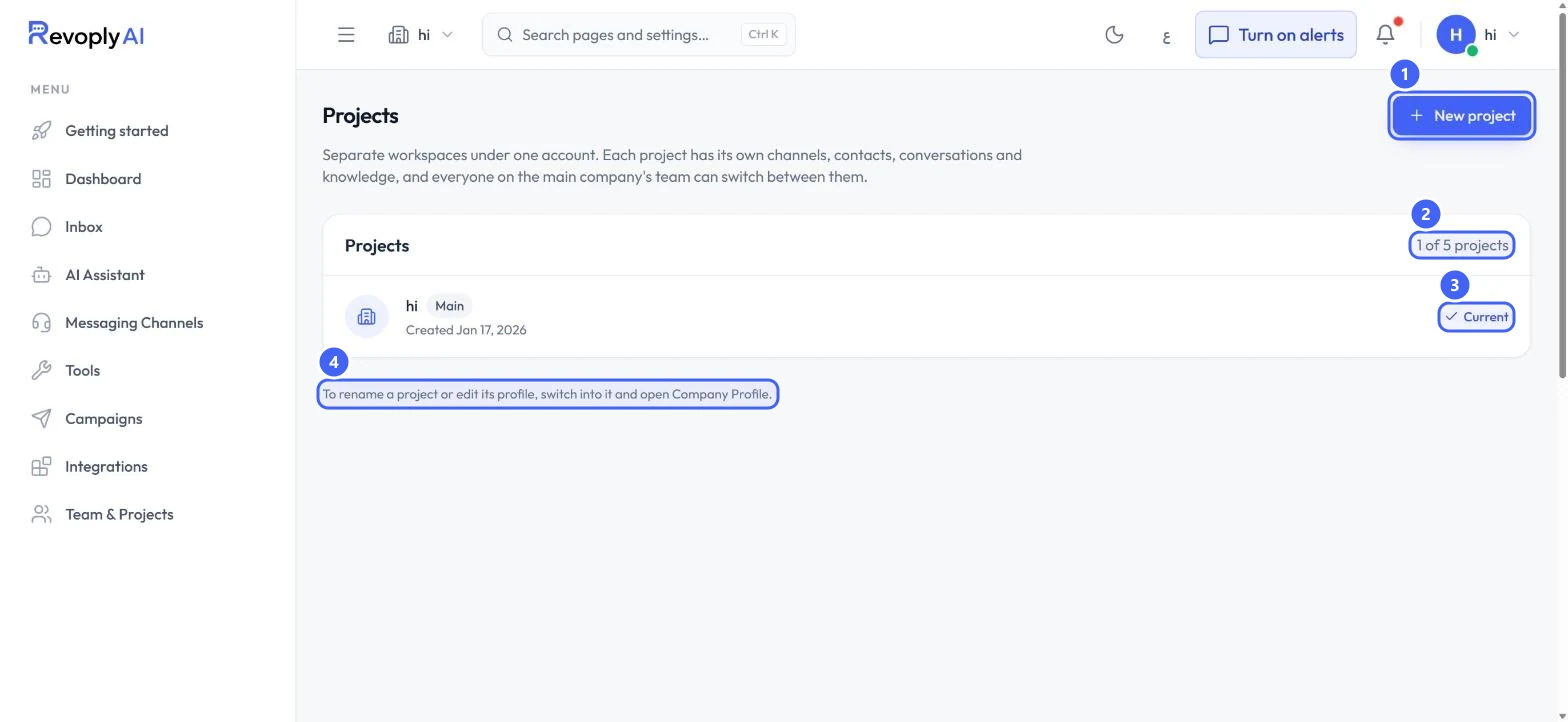
Open Team & Projects and select Projects. The count 2 shows how many you have out of your plan's limit, 5 here. Your main company is marked Main, and the one you are in shows Current 3. New project 1 adds a workspace.
 Open full size
Projects with only the main company.
- 1New project
- 2Projects used
- 3Current
- 4How to rename a project
Step 2: Create a project
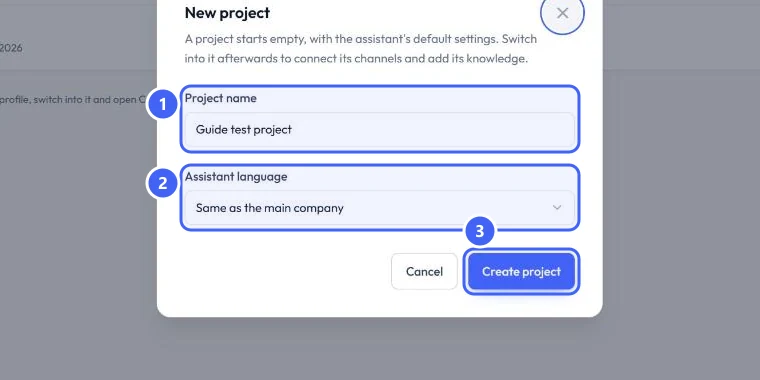
Select New project. Type the Project name 1, for example a branch. Pick the Assistant language 2: Same as the main company, English or Arabic. Select Create project 3. A project starts empty, with the assistant's default settings.
 Open full size
The New project dialog.
- 1Project name
- 2Assistant language
- 3Create project
Step 3: Find the new project
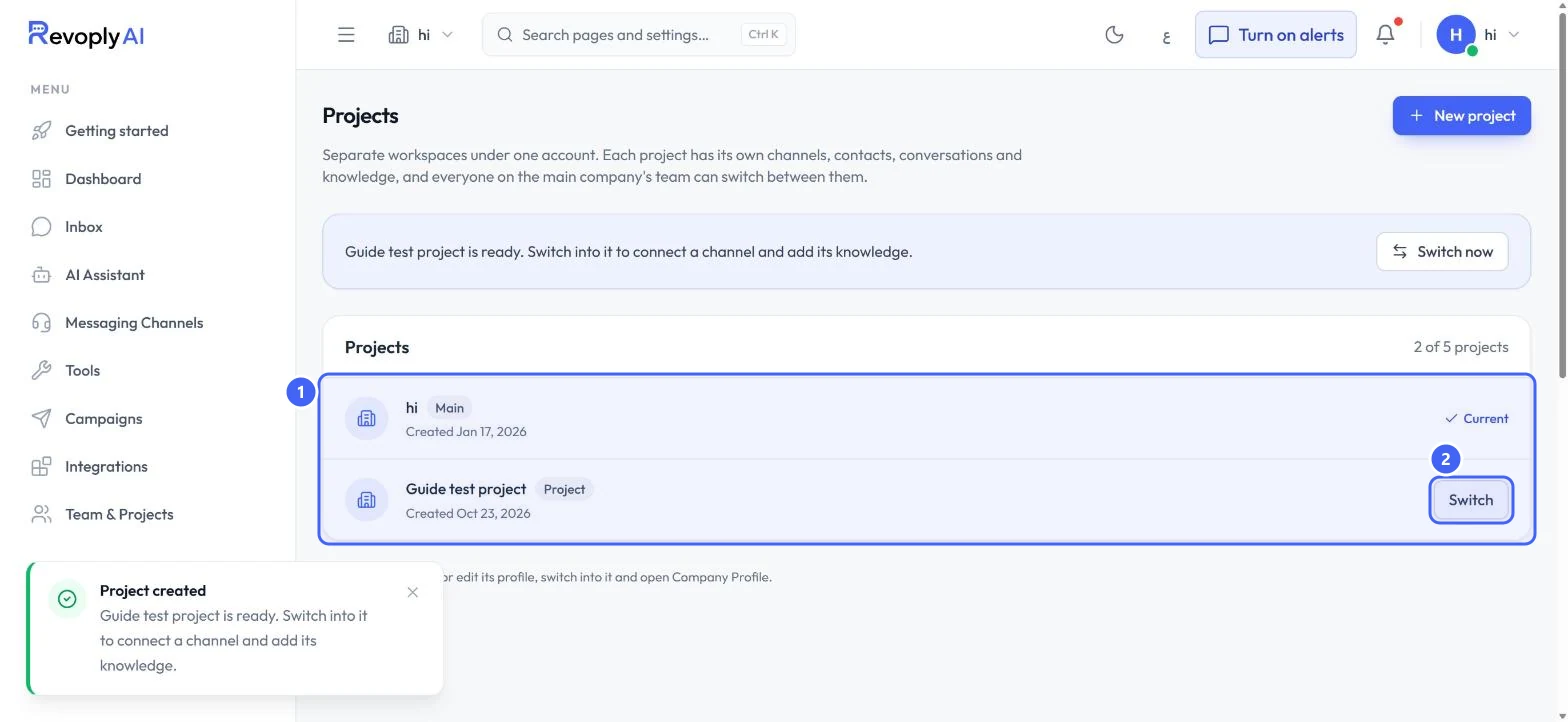
The new project joins the list 1 with a Project badge. You stay in the project you were in; select Switch 2 to move into it, or Switch now on the message above the list.
 Open full size
The list after creating a test project.
- 1Projects
- 2Switch
Work in a project
Step 4: Switch from any page
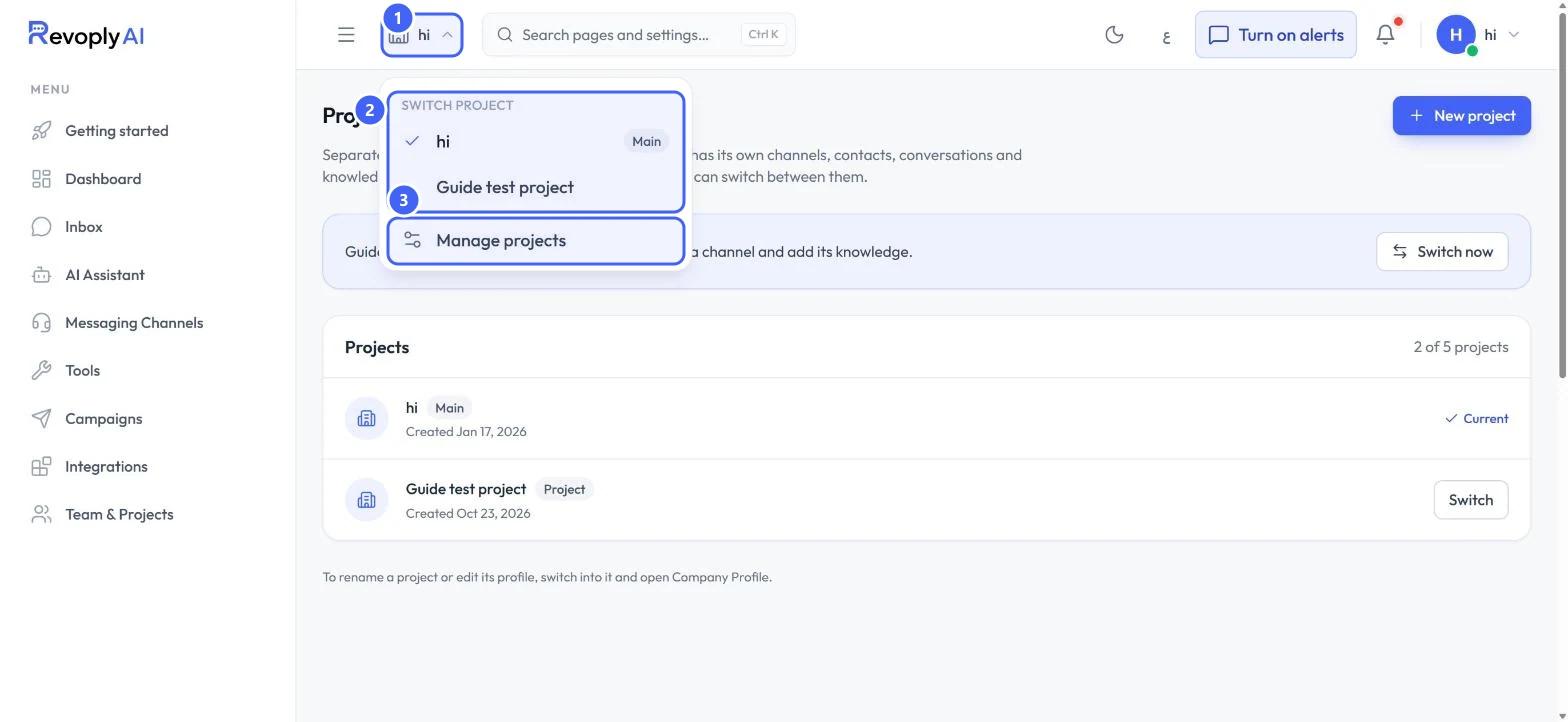
Select the project name next to the menu button at the top of any page 1. Switch project lists every project 2, with a tick on the current one. Manage projects 3 opens the Projects page.
 Open full size
The project menu at the top of the page.
- 1Project menu
- 2Your projects
- 3Manage projects
Step 5: Set the project up
Inside a new project, connect its channels and add its knowledge as you did for your main company. To rename a project or edit its profile, switch into it and open Company Profile (4 in the first picture).
Check the name in the project menu before you change a setting: every page shows the project you are in.
Expected result
You can keep each business apart and move between them without signing out.
Troubleshooting
I cannot rename a project from this page.
Rename it from inside: switch into the project, then open Company Profile.
My new project has no channels or knowledge.
A project starts empty. Switch into it, then connect its channels and add its knowledge.
Still stuck?
A real person answers every message. Tell us the page you were on and what you saw.