Overview
Teammates sign in to the same account and help answer customers. Each has a role: Owner, Admin or Agent. Your plan sets how many seats you have.
What you will achieve
- Open the Team page.
- Understand the three roles.
- Send an invitation.
Who this guide is for
Owners and admins.
Before you start
- The teammate's email address.
- A free seat on your plan.
Open the Team page
Step 1: Go to Team & Projects
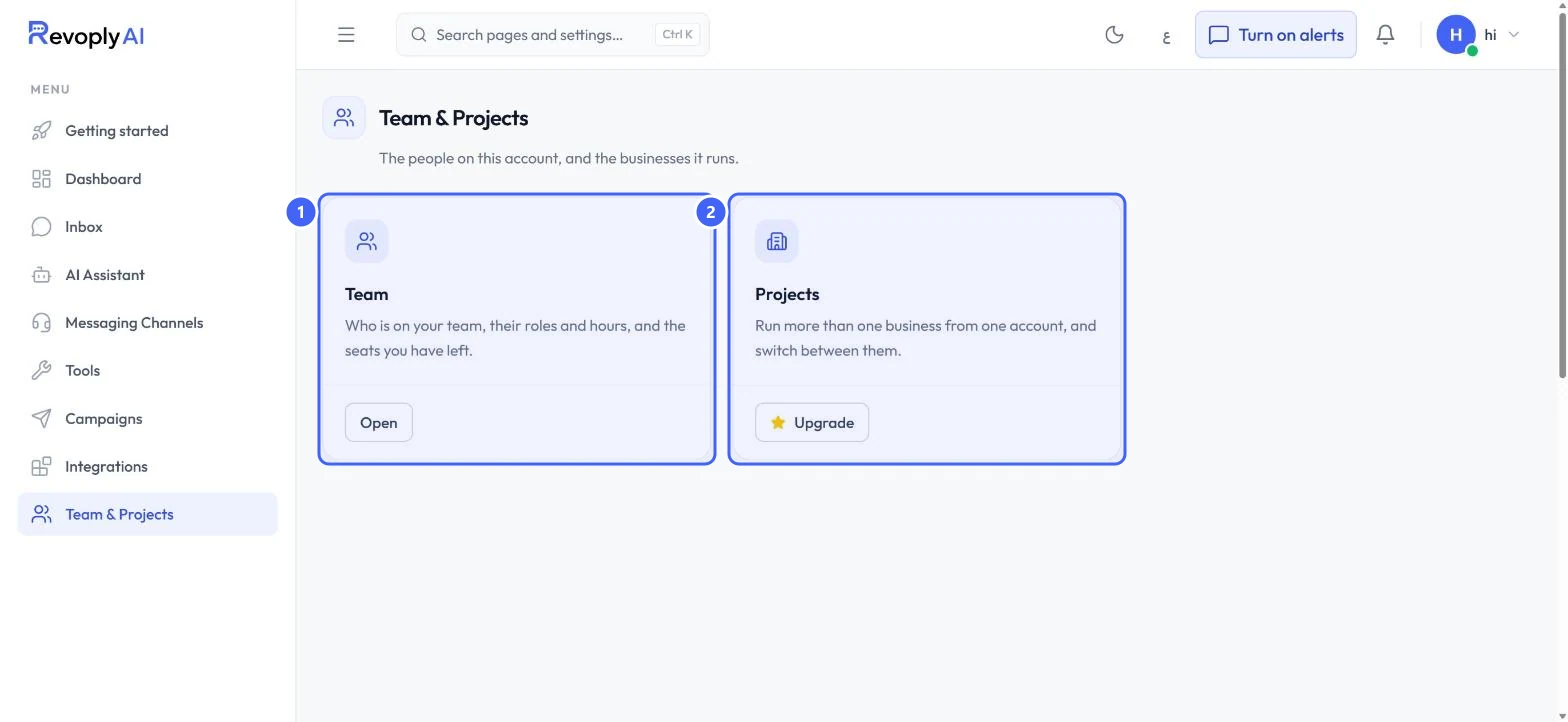
Select Team & Projects in the menu, then Open on Team 1. Projects 2 runs more than one business from one account; it shows Upgrade on plans without it.
 Open full size
Team & Projects.
- 1Team
- 2Projects
Step 2: Check your seats
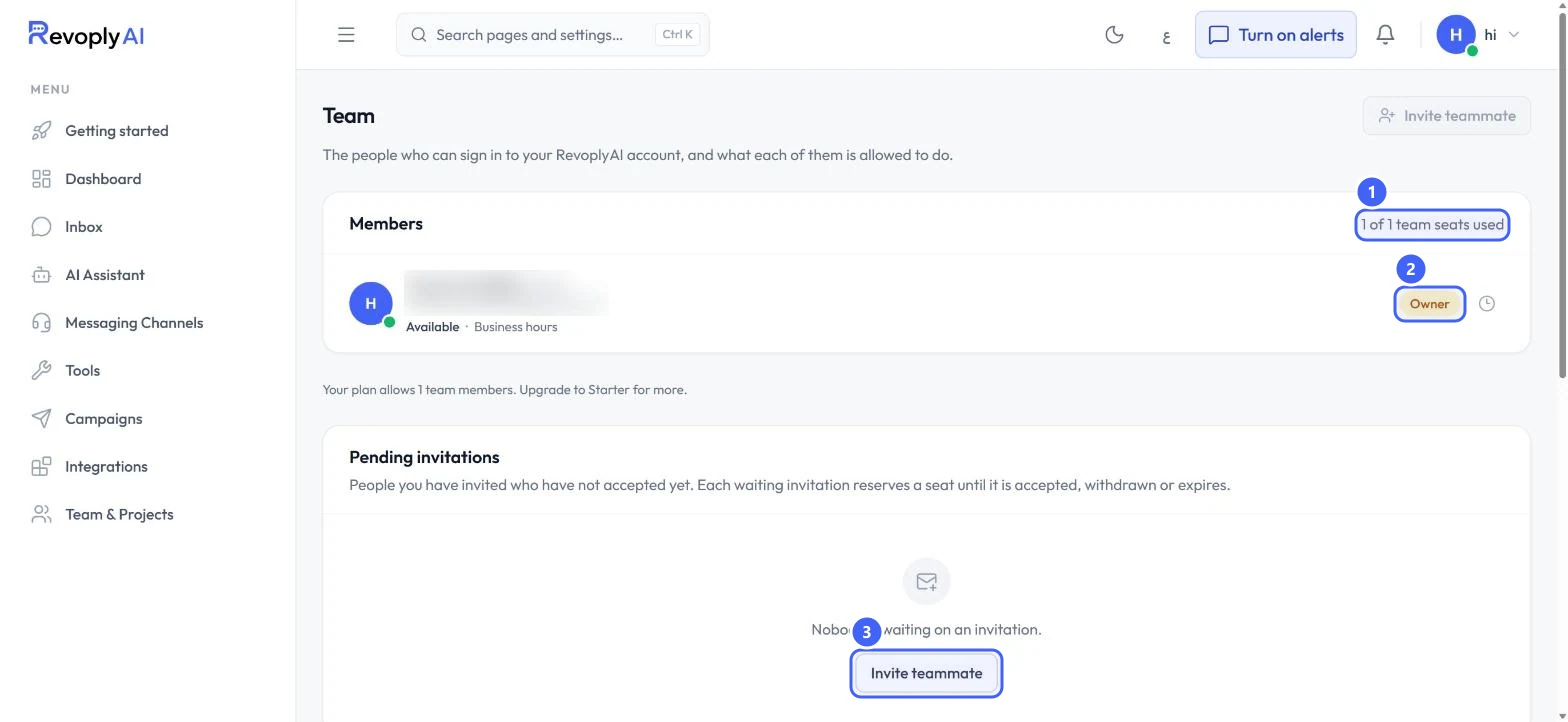
Members lists everyone on the account. The count 1 shows how many seats are used out of your plan's total. Your own role 2 is shown next to your name. Invite teammate 3 opens the invitation.
 Open full size
Members and pending invitations. The member's name and email are blurred.
- 1Seats used
- 2Your role
- 3Invite teammate
Each invitation that is still waiting reserves a seat until it is accepted, withdrawn or expires.
Roles
Step 3: Know what each role can do
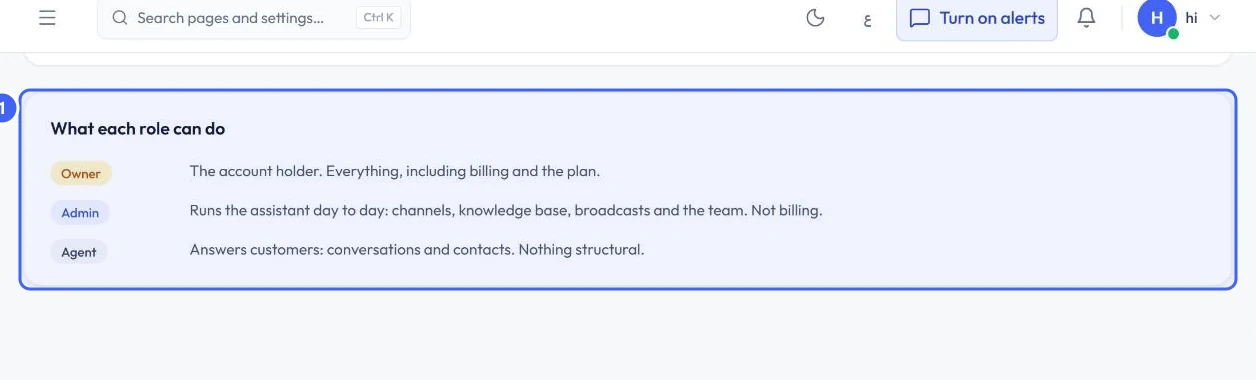
Owner is the account holder and can do everything, including billing and the plan. Admin runs the assistant day to day: channels, knowledge base, broadcasts and the team, but not billing. Agent answers customers, in conversations and contacts, and changes nothing structural.
 Open full size
What each role can do.
- 1The three roles
Send an invitation
Step 4: Invite by email
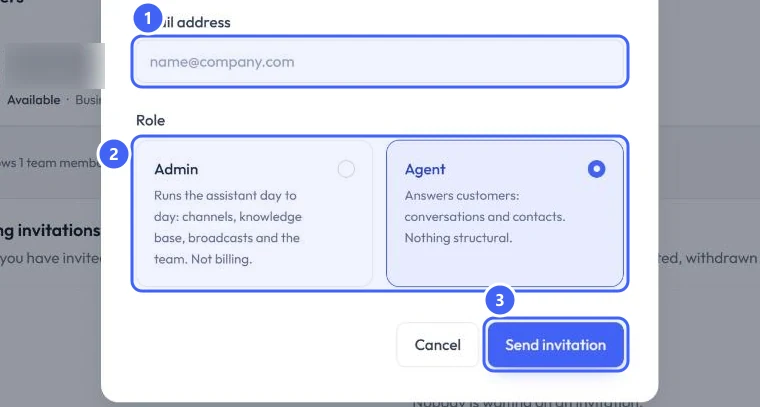
Enter the Email address 1, choose Admin or Agent under Role 2, and select Send invitation 3. We email them a link, and they join once they accept it, signed in with that same email address.
 Open full size
Invite a teammate.
- 1Email address
- 2Role
- 3Send invitation
Expected result
The invitation appears under Pending invitations until the teammate accepts it, and then they appear under Members.
Troubleshooting
Invite teammate at the top of the page is greyed out.
All your seats are in use. The page says how many members your plan allows.
My teammate cannot join.
They must sign in with the same email address the invitation was sent to.
Still stuck?
A real person answers every message. Tell us the page you were on and what you saw.