Overview
A webhook endpoint is an address your system listens on. RevoplyAI posts each event you choose to it as JSON as it happens, signed with a secret only you and RevoplyAI know.
What you will achieve
- Add an endpoint and choose its events.
- Know how to check the signature.
- Know what happens when a delivery fails.
Who this guide is for
Developers and admins connecting RevoplyAI to a CRM or their own system, on the Business plan.
Before you start
- The Business plan.
- An https:// address reachable from the internet.
Add an endpoint
Step 1: Open Webhooks
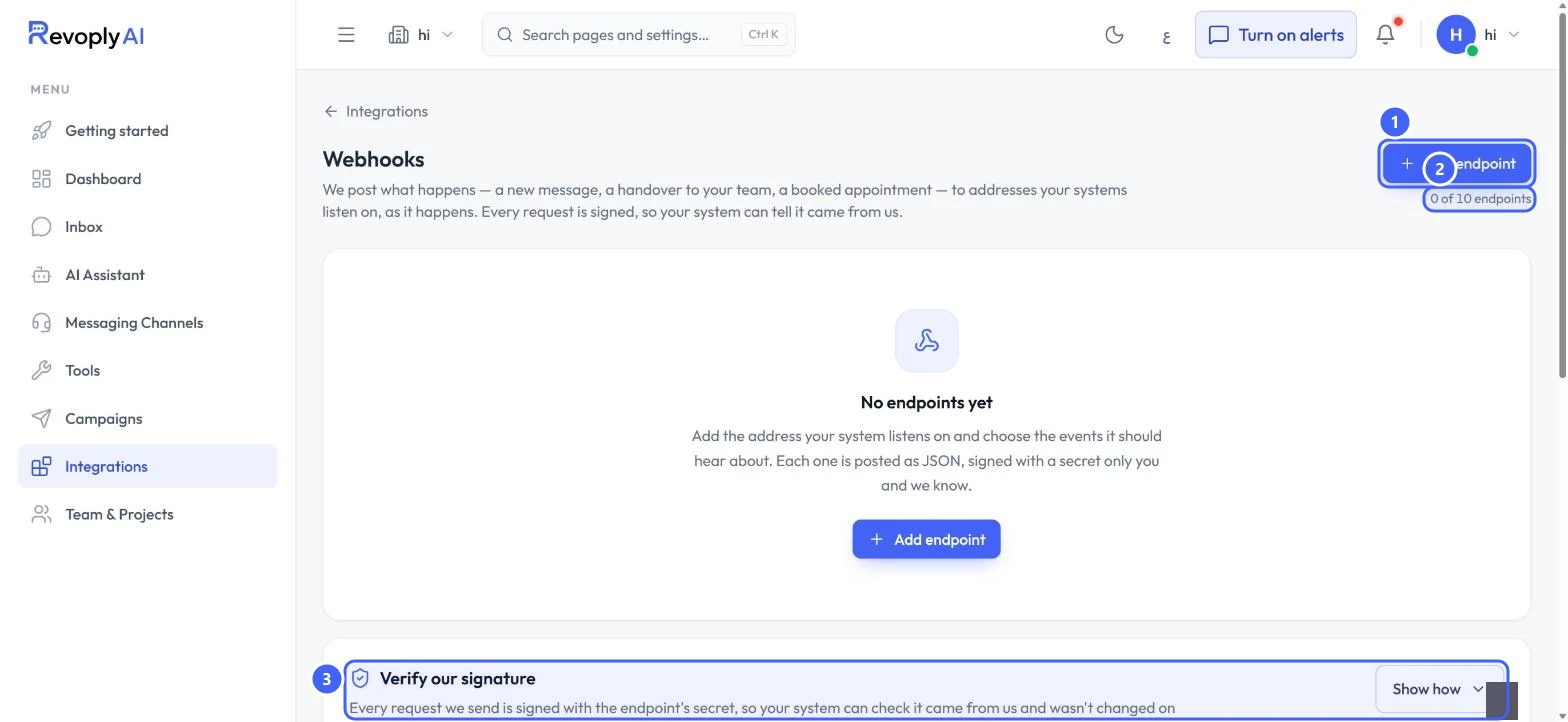
Open Integrations and select Webhooks. Select Add endpoint 1. The count 2 shows 0 of 10 on this plan. Verify our signature 3 explains how to check each request.
 Open full size
Webhooks before the first endpoint.
- 1Add endpoint
- 2Endpoints used
- 3Verify our signature
Step 2: Choose the events
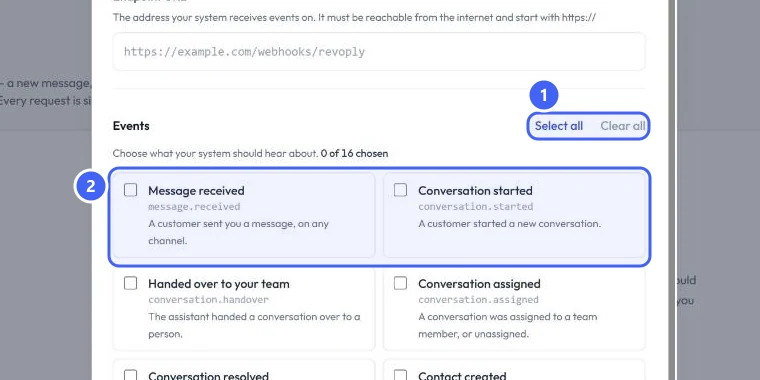
In Add a webhook endpoint, give it a Name (optional) and the Endpoint URL, which must start with https://. Under Events, tick what your system should hear about, or use Select all and Clear all 1. There are 16 events 2, each with its name in code, for example Message received (message.received), Handed over to your team (conversation.handover), Lead qualified (lead.qualified) and Appointment booked (appointment.booked).
 Open full size
Events in the Add a webhook endpoint dialog.
- 1Select all and Clear all
- 2Events
The broadcast events only cover broadcasts made through the API.
Check the signature
Step 3: Verify each request
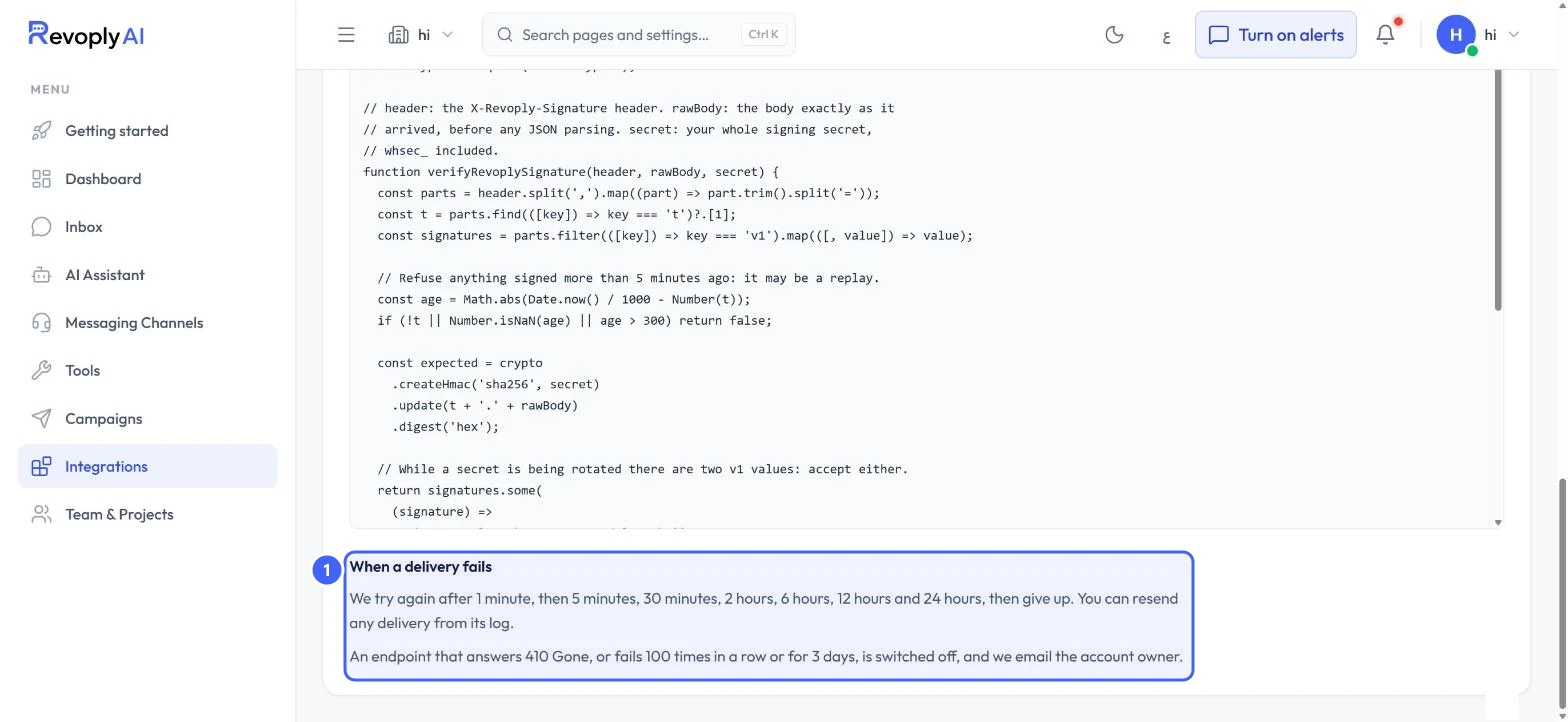
Select Show how under Verify our signature to see sample code. Each request carries an X-Revoply-Signature header. Your system computes an HMAC SHA-256 of the timestamp and the raw body with the endpoint's secret, and refuses anything signed more than 5 minutes ago. While a secret is being rotated, either of the two signatures is accepted.
Step 4: When a delivery fails
Under When a delivery fails 1: RevoplyAI tries again after 1 minute, 5 minutes, 30 minutes, 2 hours, 6 hours, 12 hours and 24 hours, then gives up. You can resend any delivery from its log. An endpoint that answers 410 Gone, or fails 100 times in a row or for 3 days, is switched off and the account owner gets an email.
 Open full size
The sample code and the retry rules.
- 1When a delivery fails
Expected result
Your system receives the events you chose, and can check each one came from RevoplyAI and was not changed on the way.
Troubleshooting
My endpoint was switched off.
It answered 410 Gone, or failed 100 times in a row or for 3 days. Fix the endpoint, switch it back on, and resend the deliveries you missed from the log.
Signature checks fail.
Compute the signature over the body exactly as it arrived, before any JSON parsing, and use the whole signing secret.
Still stuck?
A real person answers every message. Tell us the page you were on and what you saw.