Overview
The WhatsApp API Link connects a number through the official WhatsApp Business API. Use it for a new number that is not on WhatsApp yet.
After Connect WhatsApp Account, Meta's own screens take over. They were not run while writing this guide, so follow the instructions they show.
What you will achieve
- Start an official WhatsApp Business API connection for a new number.
Who this guide is for
Businesses setting up a new WhatsApp number for the assistant.
Before you start
- A number that is not on WhatsApp yet and can receive an SMS or a call.
Start the connection
Step 1: Open the WhatsApp API Link card
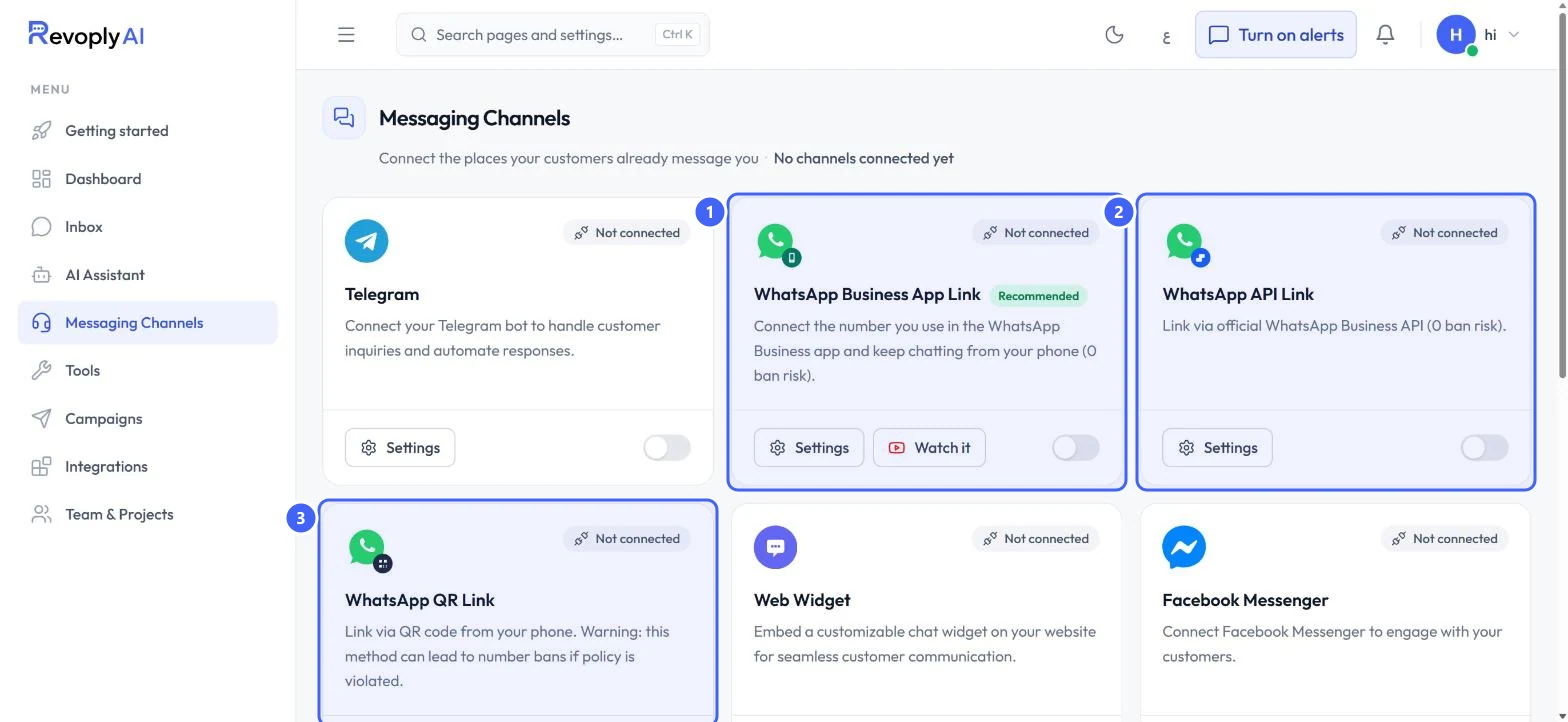
In Messaging Channels, select Settings on WhatsApp API Link.
 Open full size
WhatsApp API Link is the second WhatsApp card.
- 1WhatsApp Business App Link
- 2WhatsApp API Link
- 3WhatsApp QR Link
Step 2: Check the number and start
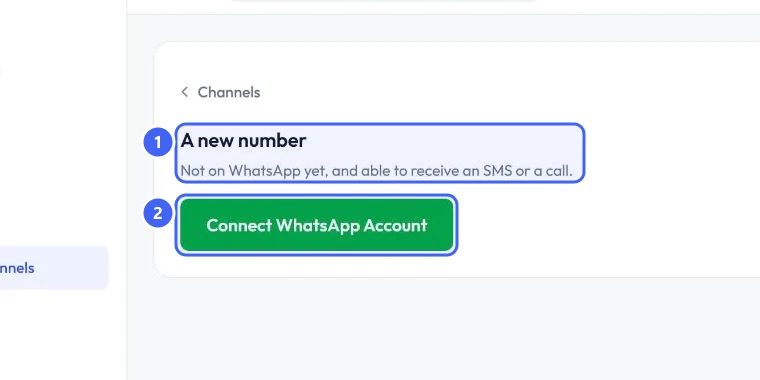
The page is titled A new number 1: not on WhatsApp yet, and able to receive an SMS or a call. Select Connect WhatsApp Account 2 and follow Meta's screens.
 Open full size
The connect page for a new number.
- 1A new number
- 2Connect WhatsApp Account
Expected result
The WhatsApp API Link card no longer shows Not connected, and messages to the new number appear in the Inbox.
Troubleshooting
My number is already in the WhatsApp Business app.
Use WhatsApp Business App Link instead. This option asks for a number that is not on WhatsApp yet.
Still stuck?
A real person answers every message. Tell us the page you were on and what you saw.