Overview
Instructions are the rules you would give a new employee on their first day: what to do, what never to do, and what to ask for first. They apply to every conversation on every channel.
What you will achieve
- Write clear rules, one per line.
- Start from the built-in examples.
- Save them.
Who this guide is for
Whoever decides how the assistant should talk to customers.
Before you start
- A short list of rules for the assistant.
Write your rules
Step 1: Open Assistant Instructions
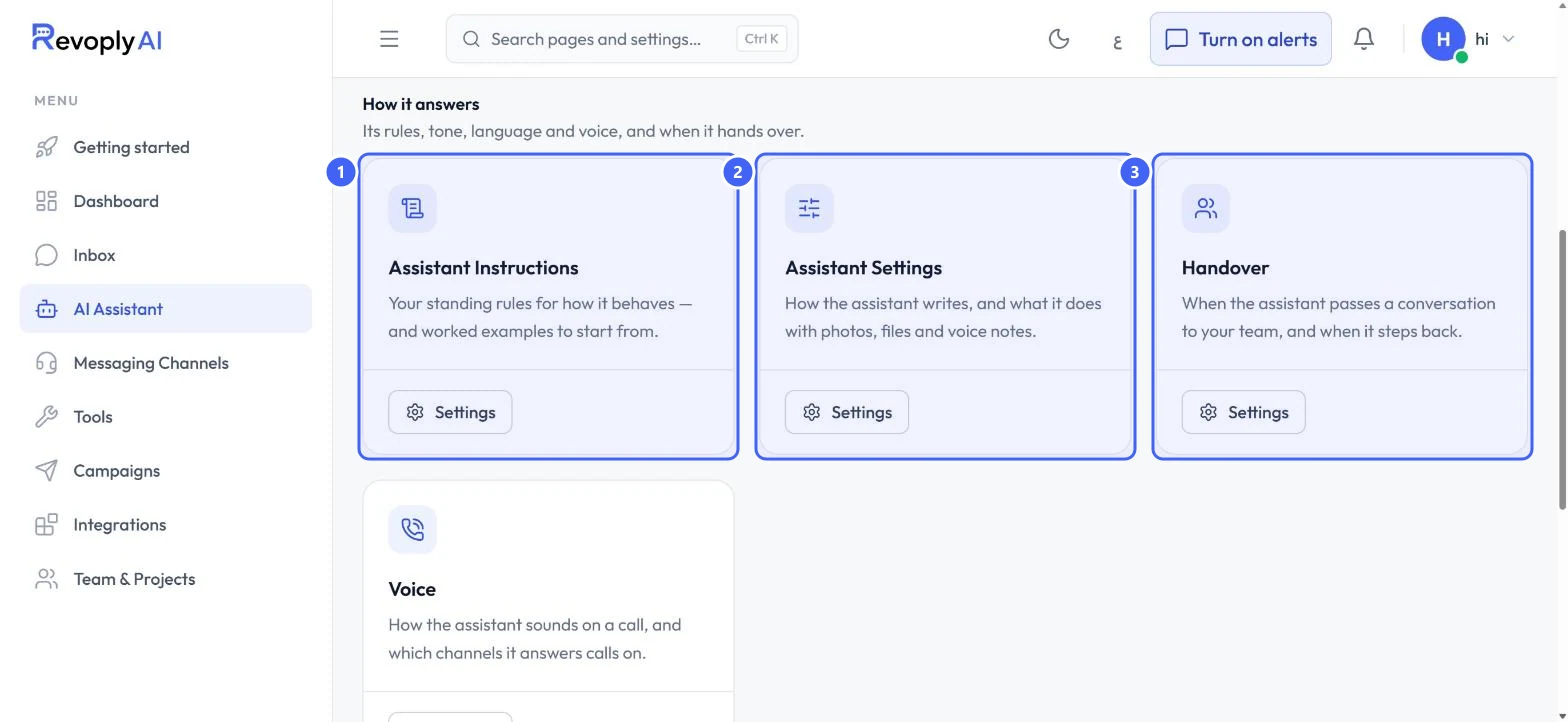
In AI Assistant, under How it answers, select Settings on Assistant Instructions 1.
 Open full size
AI Assistant, How it answers.
- 1Assistant Instructions
- 2Assistant Settings
- 3Handover
Step 2: Write one rule per line
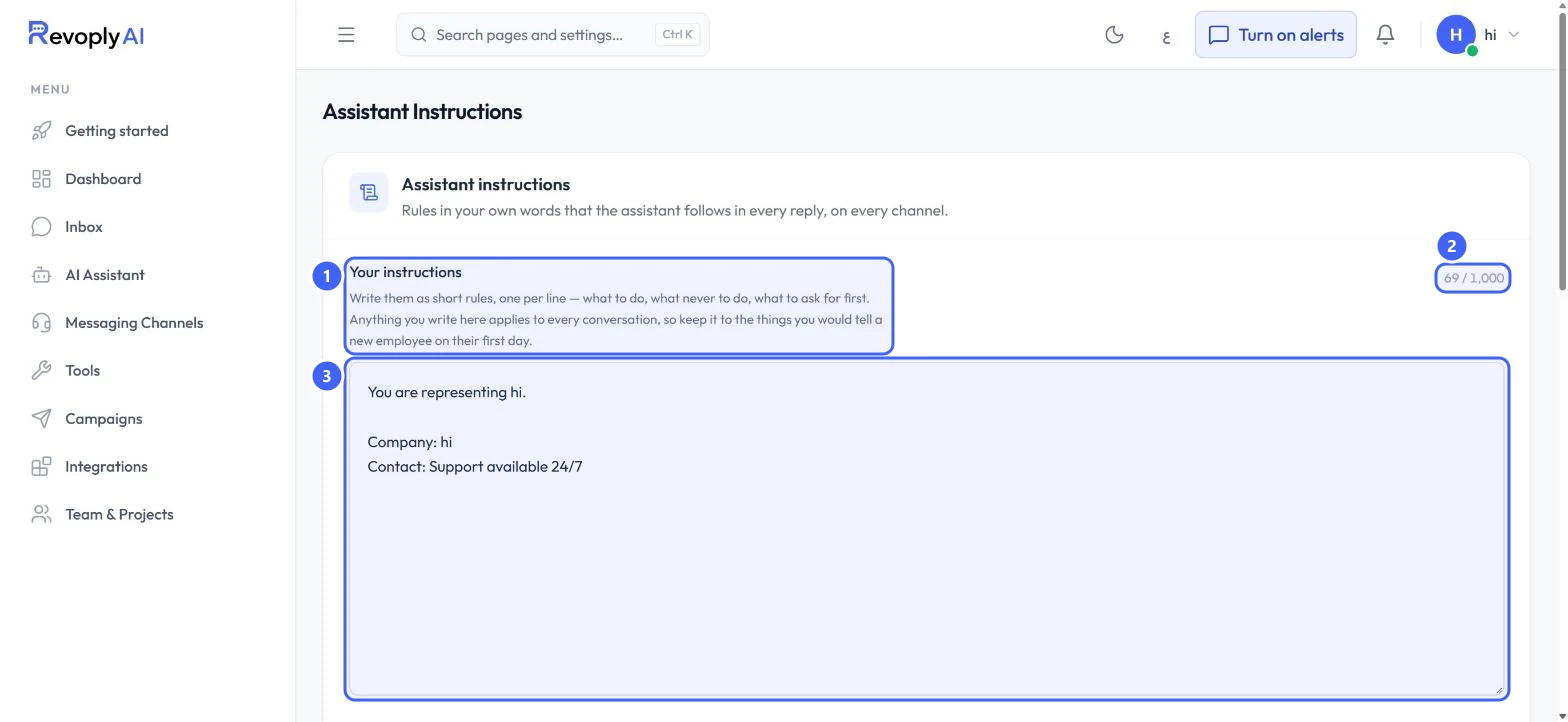
The hint 1 explains the idea: short rules, one per line. Write them in Your instructions 3. The counter 2 shows the length against the limit of 1,000 characters.
 Open full size
Your instructions.
- 1How to write them
- 2Characters used
- 3Your instructions
Keep facts such as opening hours out of the instructions. They belong in the knowledge base, where they are easier to keep up to date.
Start from an example
Step 3: Add an example and make it yours
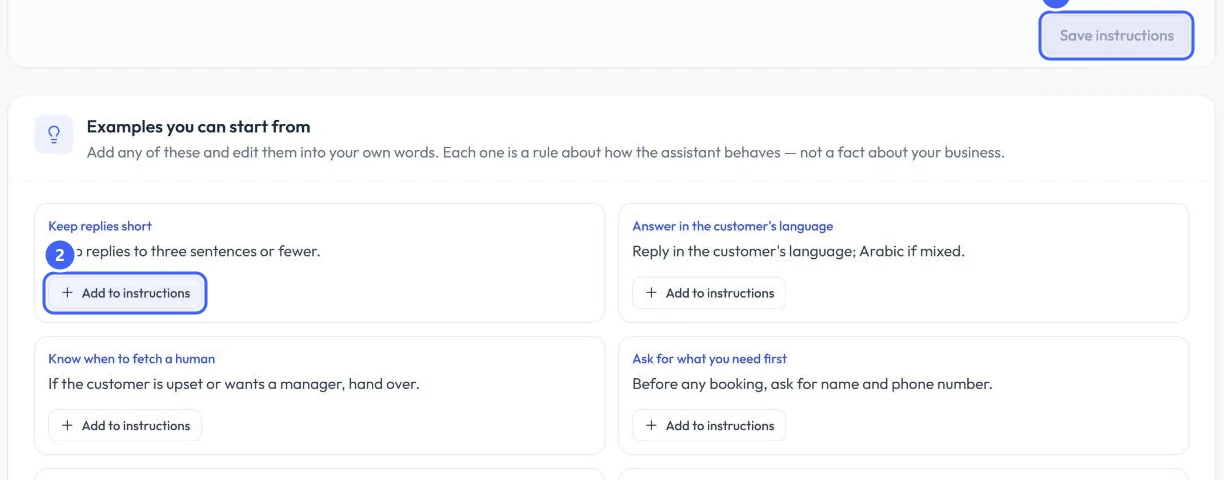
Under Examples you can start from, select Add to instructions 2 on any example, such as Keep replies short or Answer in the customer's language. Then edit it into your own words.
 Open full size
Save instructions and the examples.
- 1Save instructions
- 2Add to instructions
Step 4: Save
Select Save instructions 1. The button becomes available once you have changed something.
Expected result
The assistant follows your rules in every reply. Try one in the test console to see it at work.
Troubleshooting
The assistant ignores one of my rules.
Make the rule shorter and put it on its own line, then test again. If the rule is really a fact, move it to the knowledge base.
Still stuck?
A real person answers every message. Tell us the page you were on and what you saw.