Nov 16, 2026
WordPress Chatbot Plugin: Free AI Live Chat
Most WordPress sites answer visitors with a contact form and a promise to reply within a day. The visitor who wanted to know your price or your opening hours has usually left by then. Our WordPress chatbot plugin puts a chat window on every page instead, where an AI assistant answers from your own business information and hands the conversation to your team when a person is needed.
The plugin is free, and so is the plan behind it. Download the WordPress plugin (.zip) and follow the four steps below.
What the WordPress chatbot plugin does
It does one job: it adds the RevoplyAI chat widget to every public page of your site through the standard WordPress script queue. That is why it works with any theme or page builder that prints the site footer, and with caching plugins.
Everything else lives in your RevoplyAI account: the assistant, the knowledge base it answers from, and the conversations. The plugin has three settings of its own, and until you enter a channel ID it does nothing at all.
- Channel ID or script. Paste the whole widget script if that is easier. The ID is read out of it.
- Widget language. English, Arabic with the panel flipped right to left, or automatic, which follows each visitor's browser.
- Position. Bottom right or bottom left.
How to add an AI chatbot for WordPress in four steps
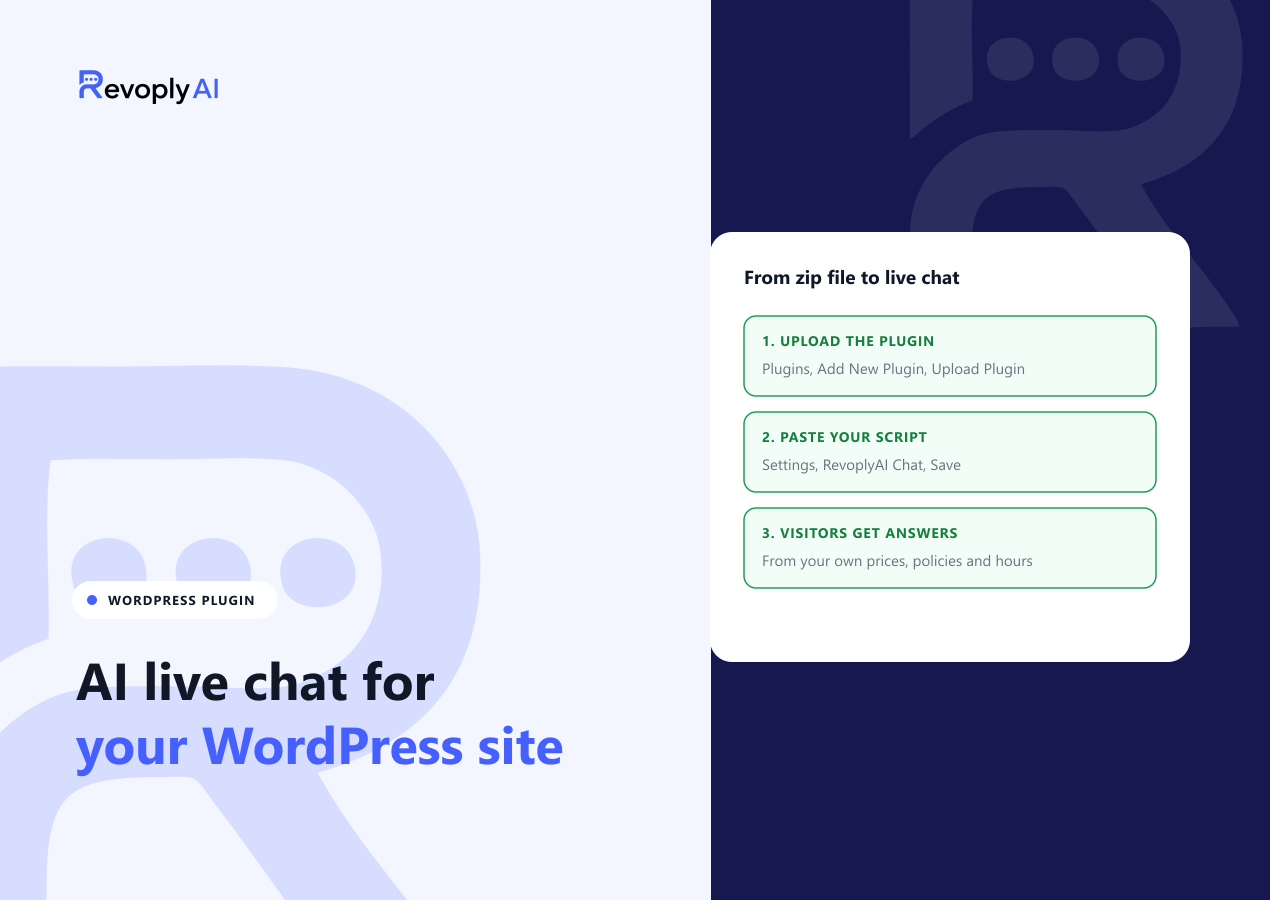
- In WordPress, open Plugins, then Add New Plugin, then Upload Plugin. Choose the zip file, install it and activate it.
- Create a free RevoplyAI account and give the assistant your information: prices, policies, opening hours, services. A website address, a file or plain text all work.
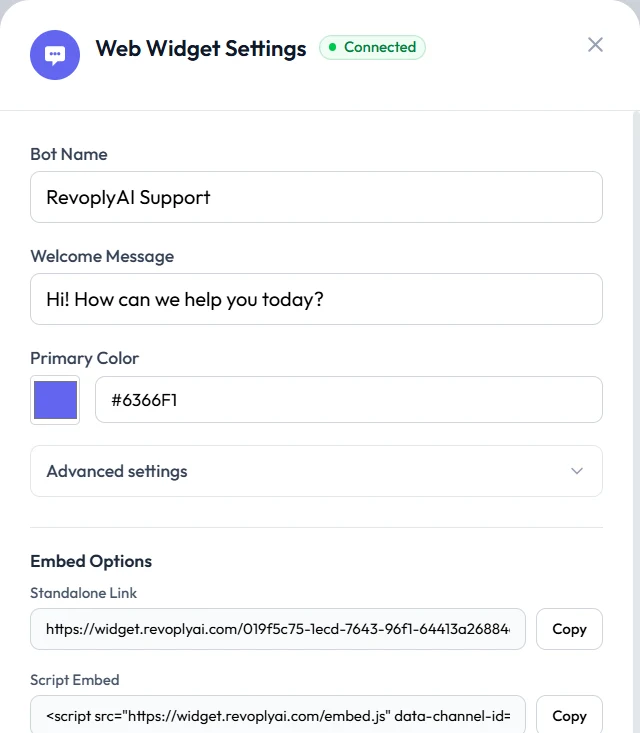
- In RevoplyAI, open Channels, then Web Widget, then Settings, and copy the script.
- Back in WordPress, open Settings, then RevoplyAI Chat. Paste the script and save.
Open your site. The chat button is in the corner of every page. If it is not, clear your caching plugin and check that your domain is in the widget's allowed domains, if you set any.
The plugin needs WordPress 6.5 or newer and PHP 7.4 or newer. On WordPress.com your plan has to allow plugin uploads.
A live chat plugin for WordPress that answers when you are offline
A classic live chat plugin is a window with your team behind it. It works while somebody is watching, and turns into a contact form when nobody is. Here the first reply comes from AI trained on your information, at any hour, in the language the visitor wrote in.
Your team is still one click away. When the answer is not in the knowledge base, the assistant says so and hands the chat over instead of guessing. Website chats arrive in the same inbox as your WhatsApp, Instagram, Messenger and Telegram conversations, so live chat for WordPress does not become one more tab to watch.
The look and behaviour are set in your RevoplyAI dashboard, not in WordPress: bot name, greeting, brand colour, suggested questions, auto-open, and an optional name and email form before the chat starts.
What it costs your page speed
Speed is the usual worry with chat plugins, so the numbers first. Each page loads one small deferred script of roughly 4 KB compressed, plus one settings request. Deferred means it does not block your page from rendering. The chat panel itself is built only when a visitor opens it, and a conversation is saved only after the first message, so browsing visitors do not fill your inbox with empty chats.
What the free plan covers
The widget is included on the free Basic plan, with no credit card and no end date. Basic answers about 175 questions a month with AI. Incoming messages and the replies your team types are not counted. A free widget shows a small "Powered by RevoplyAI" line under the open chat. Paid plans start at $9 a month and raise the AI allowance; the pricing page has the full table.
What the plugin does not do
- It does not read your WooCommerce store. Products, stock and order status are not synced today. A WooCommerce connection is on our roadmap; until then the assistant answers product questions from what you put in the knowledge base.
- It stores no conversations in WordPress. Chats live in your RevoplyAI account. Deleting the plugin removes its one settings entry and nothing else.
- It is not invisible to privacy rules. The widget script and its settings load from our servers on every page view, which sends the visitor's IP address and browser details, as any web request does. Messages are sent only when a visitor writes one. Mention the chat in your privacy notice.
Prefer not to install a plugin?
The plugin is a convenience, not a requirement. The same one-line script works when you paste it into a header and footer plugin such as WPCode, under Footer. The website chatbot page lists where the script goes on Wix, Shopify, Squarespace, Webflow and others, and describes the widget in full.