Feb 4, 2026
From Zero to AI Customer Support in 3 Minutes, No Developers Needed
For months now you've been weighing up AI for your customer support. Yet every attempt to explore it runs into the same blockers: enterprise-grade pricing, developers you can't avoid, integration work measured in weeks, and sales calls with no end in sight. So the decision keeps slipping, while your team stays buried under the same repetitive questions day after day. Here's the counterpoint: the entire setup takes 15 minutes, involves zero code, and starting costs nothing.
The Myth: AI = Expensive, Complex, and Needs a Tech Team
At some point, AI customer support picked up a reputation as something only large enterprises with in-house engineering teams could pay for. And honestly, there was truth to that once. The first generation of chatbot platforms demanded custom development, tangled API integrations, months spent preparing training data, and continuous technical upkeep. Since then the technology has matured by leaps and bounds. What runs modern AI support, large language models, natural language processing, knowledge retrieval systems, is now approachable enough that effective use no longer requires understanding the machinery underneath.
How to Set Up an AI Support Agent in 3 Simple Steps
RevoplyAI takes you from nothing to a fully working AI support agent in three steps. There are no developers to hire, no API keys to configure, and no training data to format. The process breaks down like this:
Step 1: Create Your Account & Upload Your Knowledge Base
What File Formats Can I Upload for AI Training?
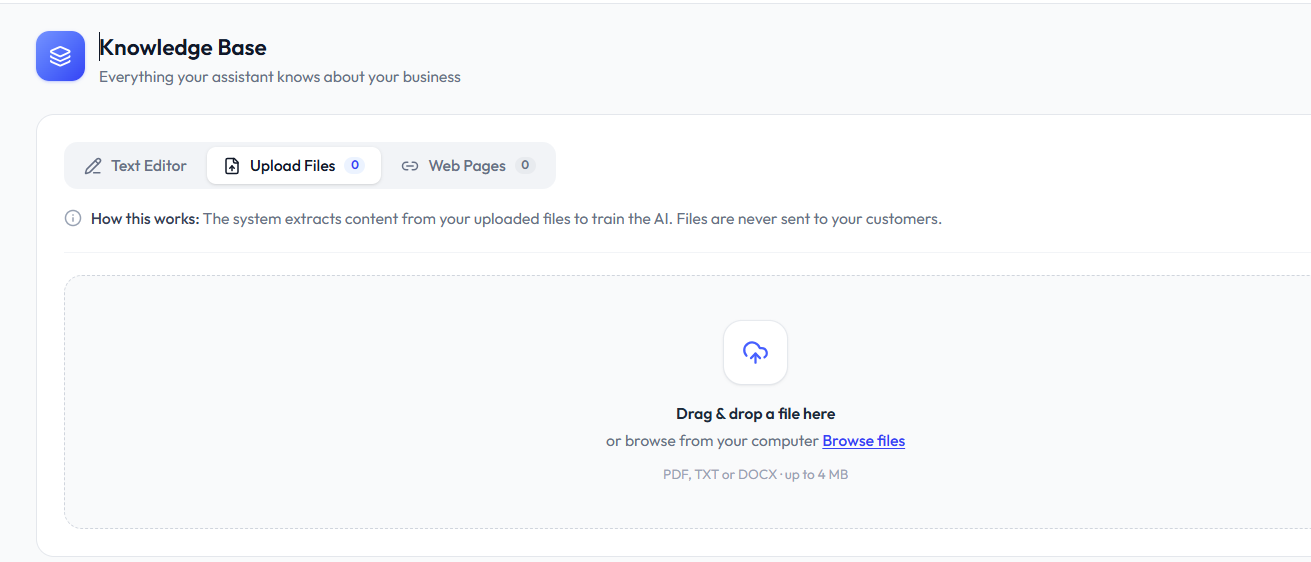
Register with your email; a credit card is never asked for. Your first task inside the account is giving the AI your company's information, and that is what makes the agent distinctly yours. Its answers come only from the material you provide, so invented facts or off-brand replies simply don't happen. Knowledge can go in through several formats:
- PDF documents: Catalogs of products, policy papers, and service guides go straight in, and the AI pulls out what matters.
- Text content: Paste in your FAQs, descriptions of your products, pricing particulars, or anything else that lives as text.
- Website URLs: Give the AI addresses of pages on your site, and crawling plus learning from that content happens on its own.
Step 2: Connect Your Channels
Which Channels Can I Connect to RevoplyAI?
Your AI now knows your business, so the next move is putting it to work. Hook up the channels your customers actually use to reach you:
- WhatsApp: The connection runs over the official Meta Business API. Because RevoplyAI is a verified Meta Tech Provider, your business number stays fully protected, no risk of bans or violations.
- Telegram: A single Bot API token links your Telegram bot, and the whole thing runs in less than two minutes.
- Website widget: One short code snippet places a chat widget on your site, and the direct chat link works as an alternative.
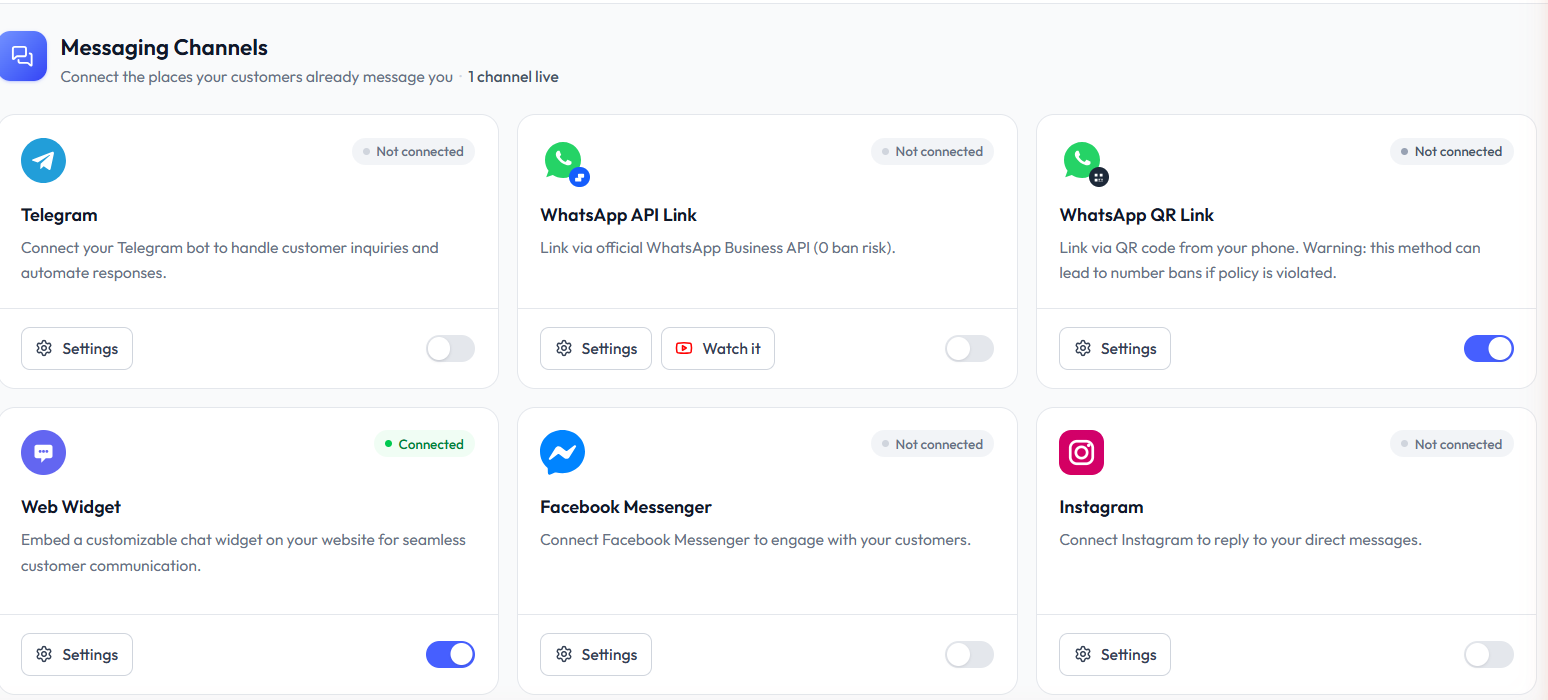
Every channel is handled from the same unified inbox, meaning your team and the AI agent share a single dashboard.
Step 3: Test & Go Live
How to Test Your AI Chatbot Before Going Live
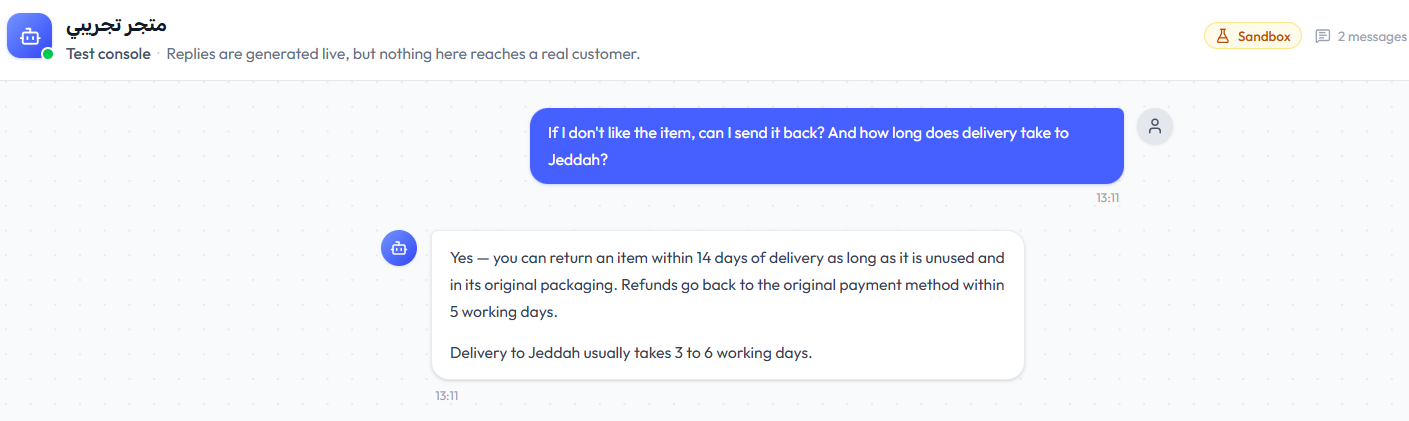
Before going live, the built-in testing tool lets you fire sample questions at the AI and inspect how it answers. Verify that your most common questions get handled correctly. Then tune the knowledge base wherever needed, expanding sections whose answers miss the mark, or sharpening information the AI might read two ways. When the results satisfy you, flip the switch. From that moment your AI agent is live, fielding customer questions 24/7 on every connected channel.
What to Include in Your Knowledge Base
Response quality from your AI tracks directly with the quality of the knowledge base behind it. From day one, these are the essentials:
- Product or service information: The things you sell, their prices, specs, and availability.
- Policies: How returns work, shipping particulars, warranty conditions, and refund procedures.
- FAQs: Whatever your team fields every single day; this is where the biggest time savings show up.
- Business hours and contact info: When you're available, ways to reach each department, and where your offices sit.
- Troubleshooting guides: Frequent problems paired with their fixes, plus step-by-step directions for the issues that recur.
Free Plan Available, No Credit Card Needed
Nothing has to be committed before you begin. RevoplyAI's free plan opens up the core features: training the AI on your own data, Telegram channel integration, the unified inbox, and basic analytics. There is no trial that runs out and no card stored on file. Use it from today, watch the results, and move up a plan whenever you feel ready. Deciding to start, not the technology, is the hard part of adding AI to your support. And since you now know the setup needs just 15 minutes, waiting serves no purpose. After going live, find out how far you can reduce your support costs with AI.
Frequently Asked Questions
How long does it take to set up an AI chatbot for WhatsApp?
RevoplyAI gets the whole thing done in under 15 minutes: an account gets created, your knowledge base (FAQs, product info, policies) goes up, your WhatsApp number links through the official Meta API, and the AI agent is live. Neither developers nor technical skills enter the picture.
Do I need a developer to set up RevoplyAI?
No. Coding and developers play no part in RevoplyAI. A visual dashboard covers all of it: documents go up, channels get linked, and your AI agent is configured through point-and-click settings. Anyone who can send an email can get RevoplyAI running.
What files can I upload to train my AI support agent?
PDFs, Word documents, plain text, and website URLs (crawled automatically) are all accepted by RevoplyAI. Mix these sources in any combination to assemble your knowledge base. The more complete that base is, the more accurate and helpful your AI agent becomes.